Comparisons
Local Books vs. Xero: convenience, control, and the full cost
Xero offers convenient online access. Local Books puts your books on your own computer. The differences go well beyond that.
 vs.

Xero makes online bookkeeping convenient. You can share access with your accountant, reconcile bank activity, and work from different places. But its lowest advertised price is not necessarily the price for the way your business works.
Local Books takes a different approach: buy the software, keep the books on your own computer, and use accounting, inventory, job costing and payroll tools in the same application. Choosing between them means looking at the work you need to do and what is included in the price.
Start with the plan that fits your workload
Xero’s US Early plan is $27 a month at the regular rate, but it limits monthly activity to 20 invoices and five bills. That may be enough for a small operation. It can also be easy to outgrow.
| Xero plan | Regular US price | Main difference |
|---|---|---|
| Early | $27/month | Up to 20 invoices and five bills a month |
| Growing | $59/month | Removes those invoice and bill limits |
| Established | $97/month | Adds multiple currencies and project time and cost tools |
All three include unlimited users. That is a useful advantage for a business with several people involved in the books. Promotional discounts apply for a limited period; compare the regular prices in Xero’s plan table.
Local Books Desktop costs $3,495 once. Server costs $4,995 once for larger teams and access across locations. Both include accounting, inventory, job budgets and costs, payroll and employee tools, and nonprofit workflows. Both editions include unlimited companies and unlimited user accounts, with no per-user software fees. Desktop includes five office computers total: one host plus four connected workstations. Server supports more connected computers through one business-managed host. You choose how people access the software, not which business functions to unlock. Local Books edition details.
Payroll and inventory need a closer look
Xero’s US payroll service, powered by Gusto, is optional. Xero lists it at $36 a month plus $6 per employee or contractor. For five employees, that is $66 a month on top of accounting. Established plus that payroll service would total $163 a month, or $1,956 a year, at those regular rates. The service includes tax filing and payments. Xero payroll pricing.
Local Books includes pay runs, pay stubs, employee records, time entries, benefits, onboarding and tax-form preparation. You or your payroll professional review the calculations and handle tax filing and payments. There is no separate monthly Local Books payroll software tier.
Xero also offers an optional Inventory Plus product. Its ordinary plans already cover basic inventory, so it would be misleading to say you must buy an add-on for any stock tracking. The important question is whether your stock and order workflow needs the additional service. Local Books includes stock counts, partial purchase order receiving, barcode lookup, stock movements and inventory valuation in both editions. Optional Advanced Inventory adds locations and bins, lot and serial tracking, assemblies, warehouse fulfillment and advanced pricing. Start with basic stock records and enable the controls your business needs; Advanced Inventory is off by default for a company with no saved preference. See the inventory workflows.
Look at the work around the accounting
For a business that sells products or works on jobs, bookkeeping is connected to the rest of the day. An estimate becomes an invoice. A purchase order becomes a bill. Materials and labor affect whether a job makes money.
Local Books puts those functions together. Start a job budget from the estimate, compare actual spending with committed purchases, and include labor and overhead in the job’s costs. Its 90-day cash forecast brings expected collections and spending into the same view. Stripe and Square payment workflows connect customer payments with the books; processor charges still apply.
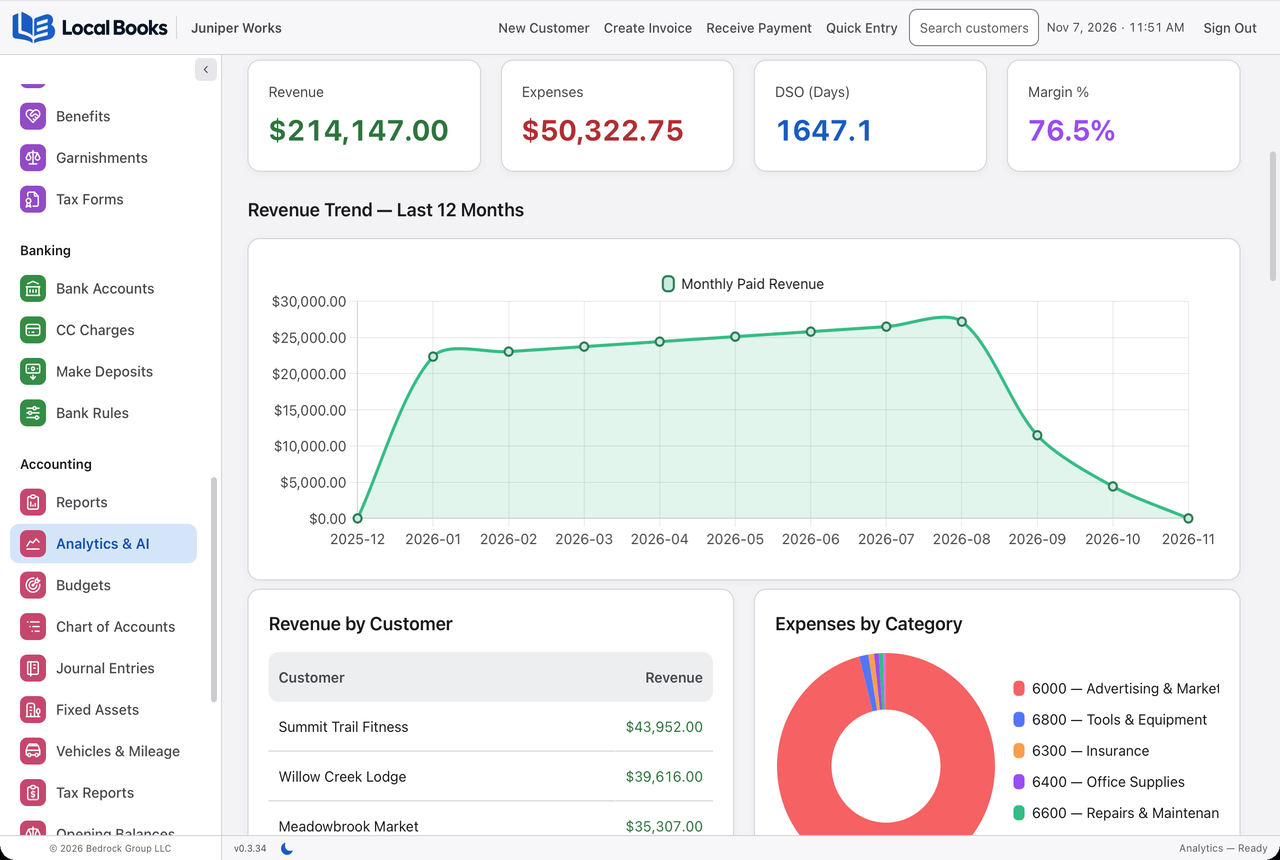
The built-in AI Assistant can answer Local Books how-to questions from the current manual or help with supported bookkeeping tasks. It follows the signed-in user’s company permissions, and you choose whether proposed changes need approval. Connecting an AI provider is optional, and provider charges may apply.
Xero has a large selection of connected applications. That is useful when you need a particular outside service. Include the cost and day-to-day work of those applications in your comparison, rather than treating the accounting subscription as the whole setup.
What customers say about Xero
The public feedback is not all one way. TrustRadius reviews describe bank reconciliation, straightforward routine work and time savings as strengths. Other reviewers want more flexible reporting or better support for complex inventory and connected applications. On Trustpilot, customers describe both helpful support experiences and frustrating delays. Xero invites customers to review there, which is useful context when reading the mix of feedback.
These are useful questions to take into a demonstration. Try reconciling an account, finding an unusual transaction, and producing the report you use every month. If a reviewer describes a problem that matters to your business, test that specific task. Individual experiences can differ, and some review sites include invited submissions.
Review the books with your accountant
Local Books includes Accountant Review for working balances, account workpapers and protected handoff packages. See the full feature list.
Where the long-term costs differ
Five years of Xero Established at $97 a month totals $5,820 before payroll and other extras. Local Books Desktop’s license is $3,495, with 12 months of eligible updates included and later upgrades optional. Keep the version you own, and there is no mandatory monthly software renewal.
Xero Growing costs $3,540 over the same period, and Early costs less. Xero can be the less expensive choice for a lighter workload. These examples use current regular rates and exclude promotions, taxes, price changes, optional upgrades and equipment costs.
The stronger reason to choose Local Books is the combination of included tools and ownership. If you need job costing, inventory and payroll records as well as accounting, compare that complete working setup. If convenient hosted access and your existing Xero accountant relationship matter most, Xero may suit you better. Local Books Server also supports shared company records across locations, with the business retaining control of its host and data.
Written by Local Books, the maker of one of the products discussed. Prices and product details are linked to their sources. Other product names belong to their respective owners; no affiliation or endorsement is implied.