Comparisons
Local Books vs. QuickBooks: what are you really paying for?
The subscription is only part of the price. A closer look at plans, payroll, paid extras, and what comes with Local Books.
 vs.
You start with an accounting subscription. Then you need inventory, another employee using the books, or payroll. Before long, the price you signed up for is not the price of running your business.
That is the comparison worth making between QuickBooks® and Local Books: what you can do, what you have to add, and what you will keep paying. QuickBooks has a large following and plenty of capable tools. Local Books brings accounting, inventory, job costing, payroll and employee tools together in software you buy once.
What comes with Local Books
Local Books is built for more than sending invoices. You can create estimates, invoice customers, receive payments, manage bills and purchase orders, reconcile bank accounts, and track stock. Turn an estimate into a job budget, see committed purchases alongside actual costs, and include loaded labor costs when checking whether a job is profitable. Payroll and employee tools sit alongside your books. Reports and a 90-day cash forecast help you see what is coming, while nonprofit tools track restricted funds, grants and how money is spent.
Both Desktop and Server include that toolkit, unlimited companies and unlimited user accounts, with no per-user software fees. You do not move to a higher-priced Local Books feature tier to unlock inventory or job costing. Desktop lets up to five office computers work in the same books: one host plus four connected workstations. Server supports larger teams and access across locations, with company records kept on a host your business controls.
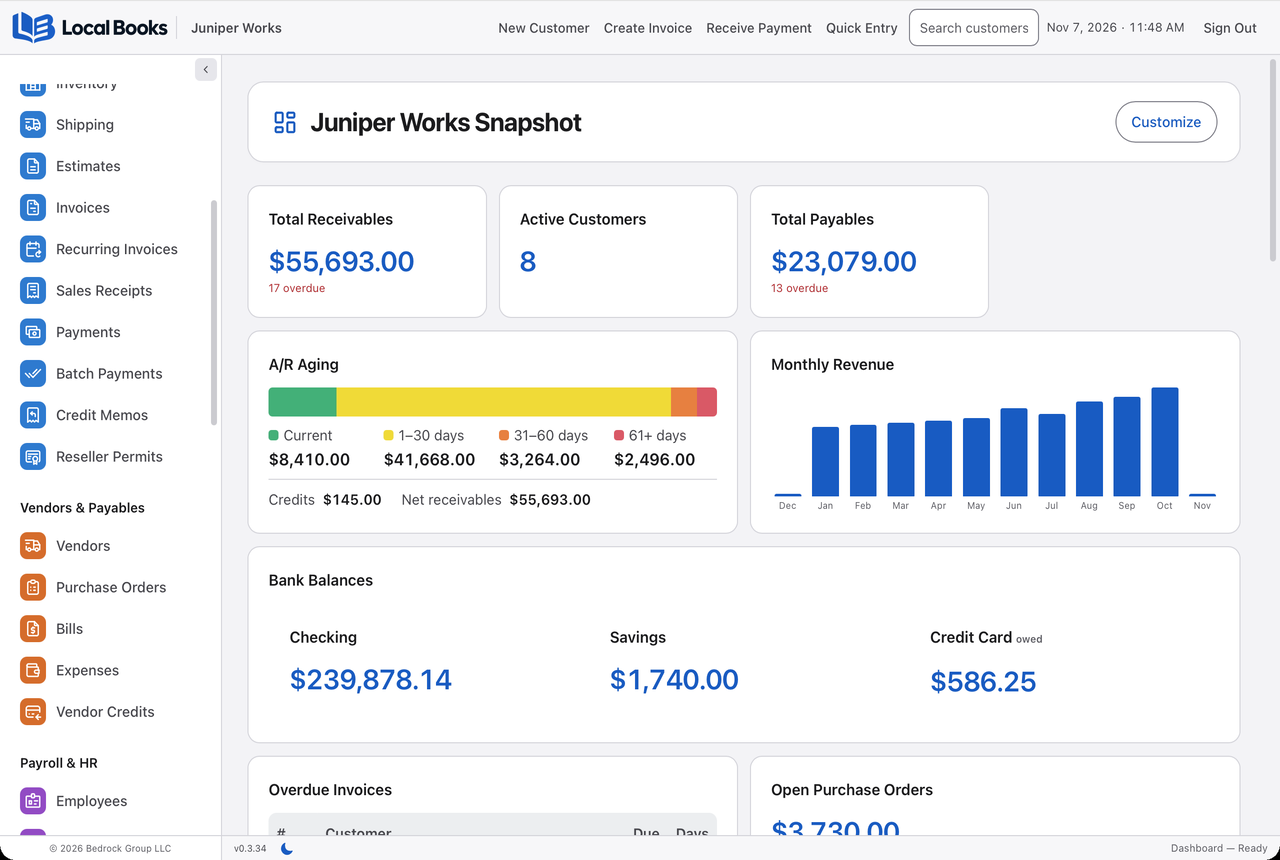
Stock and reporting without a separate feature tier
Local Books includes stock counts, partial purchase order receiving, barcode lookup, stock movements and inventory valuation in both editions. Optional Advanced Inventory adds locations and bins, lot and serial tracking, assemblies, warehouse fulfillment and advanced pricing. Start with basic stock records and enable the controls your business needs; Advanced Inventory is off by default for a company with no saved preference. See the inventory workflows.
The report library covers financial statements, sales and purchasing, inventory, job costs and payroll detail. Saved views, date filters and PDF or CSV output help you repeat a review without recreating the settings. Sales-representative reports and vehicle mileage records also sit alongside the customer and job workflows. Explore reports.
QuickBooks costs depend on the plan you need
QuickBooks Online has lower-cost plans, including Free, Simple Start and Essentials. But inventory and project profitability sit in Plus and Advanced. A business that needs those tools should compare those plans rather than the lowest advertised price.
| QuickBooks Online plan | Regular US price | Included business users |
|---|---|---|
| Free | $0 | 1, with limited features |
| Simple Start | $38/month | 1 |
| Essentials | $85/month | 3 |
| Plus | $140/month | 5 |
| Advanced | $340/month | 25 |
Advanced adds custom permissions, more automation and priority support. Promotional discounts reduce the first few months, not the ongoing rate. QuickBooks’ current plan comparison shows the prices and included features.
This does not mean every QuickBooks feature costs extra. It means a feature you need can require a more expensive plan, and additional services can increase the total again.
Payroll changes the bill
QuickBooks’ accounting-only price does not include full-service payroll. Its advertised US accounting-and-payroll bundles include Workforce Payroll with Simple Start at $88 a month plus $6.50 per employee, and Workforce Premium with Plus at $203 plus $10 per employee. Those are complete bundle prices, not amounts to add to the accounting plan again.
For a business with five employees, the Plus bundle comes to $253 a month, or $3,036 a year, at the regular rate. That includes a service that calculates, files and pays payroll taxes. QuickBooks payroll pricing explains the packages and promotional terms.
Local Books includes payroll records, pay runs, pay stubs, time entries, benefits, onboarding and tax-form preparation tools without a separate monthly payroll software tier. You or your payroll professional still review calculations and handle filing and tax payments; it is not a managed filing service.
Payment processing and optional connected services also have their own charges. Include those in either product’s total when they are part of how you work.
QuickBooks Desktop Enterprise is different from Online. It is also sold by subscription, with editions, user counts and hosting choices that affect the quote. Use Intuit’s Enterprise pricing information when comparing that product specifically.
Buying once versus paying each month
Local Books Desktop is $3,495 once, and Server is $4,995 once.
Both licenses include core accounting, invoicing, banking, payroll tools, inventory, job costing and reports, plus unlimited companies and user accounts with no per-user software fees or separate paid feature tiers.
Both include 12 months of eligible updates. After that, you keep using your version and choose whether to purchase a future upgrade. Compare Local Books editions.
At today’s regular rate, QuickBooks Online Plus adds up to $8,400 over five years, before payroll or other extras. Local Books Desktop’s license remains $3,495 if you keep that version. This is a software-price comparison, excluding introductory offers, taxes, future price changes, optional upgrades and the cost of your computer or server. QuickBooks includes hosting; Local Books runs on your equipment.
Ask for help inside Local Books
The built-in AI Assistant can explain a Local Books workflow using the current manual or help with supported bookkeeping work, such as finding an overdue invoice. Connect a provider and choose a model, then decide whether proposed changes need your approval. The assistant stays within the signed-in user’s company permissions. The provider connection is optional, and provider charges may apply.
What customers say about QuickBooks
Public QuickBooks Online reviews include praise for convenient access, invoicing and reporting. They also include frustration with support, bugs and changes to familiar workflows. Read the individual accounts on Capterra. NerdWallet’s review also identifies complaints about price increases and upselling, alongside QuickBooks’ broad feature and integration support.
Those complaints matter. If you are switching because the bill keeps growing or everyday work has become harder, a longer feature list alone will not solve that. Look at the tasks that frustrate you and ask to see how the alternative handles them. Customer reviews describe individual experiences, not a guarantee that every business will have the same problem.
Review the books with your accountant
Accountant Review adds a working trial balance, account workpapers, saved review snapshots and protected handoff packages. See the full feature list.
Which one makes sense for your business?
QuickBooks Online is useful when you want the provider to run the online service, your accountant already works in it, or you want managed payroll filing. Budget for the plan and services you will actually use.
Local Books makes a strong case when you want a broad set of business tools, your records under your control, and no mandatory monthly software renewal. If you use inventory, job costs and payroll alongside everyday accounting, those included tools deserve as much attention as the invoice screen.
Written by Local Books. We make Local Books and link to the sources used in this article. Prices and product details are linked to their sources. QuickBooks is a registered trademark of Intuit Inc. This comparison is independent and is not endorsed by Intuit.