Quote it. Invoice it. Get it recorded.
Estimates, invoices, recurring billing, sales receipts, customer payments and credit memos. Follow balances through partial and full payments.

From your first estimate to your year-end reports. Accounting, payroll, inventory and project tools, without a monthly software fee.
Try Local Books with confidence.
Your purchase is backed by a 60-day money-back guarantee.
For Mac, Windows or your own business server.
A one-time purchase. Your records under your control.
Pay once and own your software.
Get eligible updates for 12 months included with your purchase.
Keep company records on your computer or your own server.
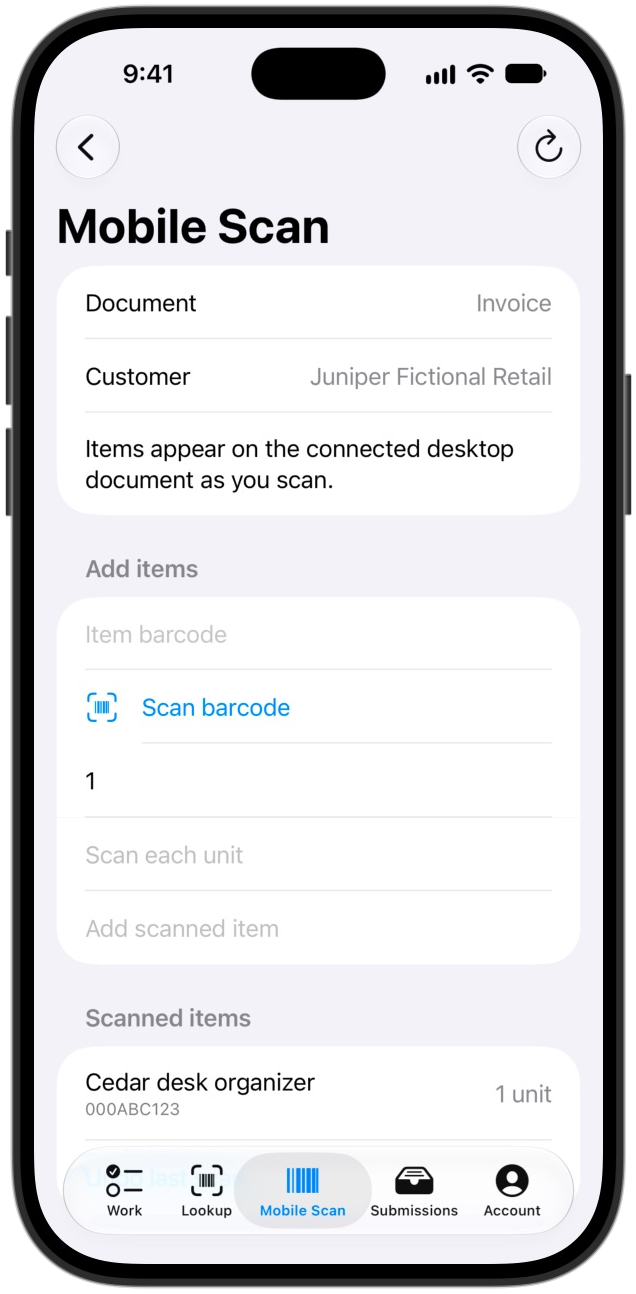
Use the Local Books Companion app to scan items into invoices, sales receipts and purchase orders as you work at your computer. Look up products, add inventory items and link barcodes from your device.
Keep work moving with assigned receiving, stock counts, picking and packing. Connect to your company’s Local Books computer or server and sign in with your staff account. Available tasks follow your company’s settings and your permissions.


Put your AI assistant to work across your books. Ask it to create and update records, handle bookkeeping tasks, explain your numbers, or walk you through Local Books. Upload documents and let it read the details for you.
Choose your provider and model, and decide how changes are approved. The assistant works within your company permissions.
Keep up with bookkeeping, billing, bank reconciliation and payroll across many kinds of businesses. Use inventory, job costing or fund accounting where it fits your work. Explore examples by business type.
Estimates, invoices, recurring billing, sales receipts, customer payments and credit memos. Follow balances through partial and full payments.
Vendors, purchase orders, bills, bill payments and vendor credits. Keep payables and purchasing connected to the same books.
Double-entry bookkeeping, a chart of accounts, journal entries, budgets, period closing and an audit trail, not just a list of transactions.
Account registers, deposits, transfers, reconciliation and statement imports. Optional SimpleFIN connectivity adds bank-feed support.
Receive stock against purchase orders, count inventory and track quantities and value. Explore inventory and barcode scanning.
Customer jobs, cost codes, budgets, committed costs and actual spending. Review revenue and profitability at the project level.
Employees, pay runs, pay stubs, time entries, time off, benefits and onboarding. Payroll and tax-form tools support your review process.
Nonprofit workflows include donors, donations, pledges, funds, grants and purpose-built financial statements.

Turn accepted estimates into invoices. Record payments against what’s owed, including partial payments and credits.

Keep customer records, projects, invoices and statements together, so the next conversation starts with the facts.

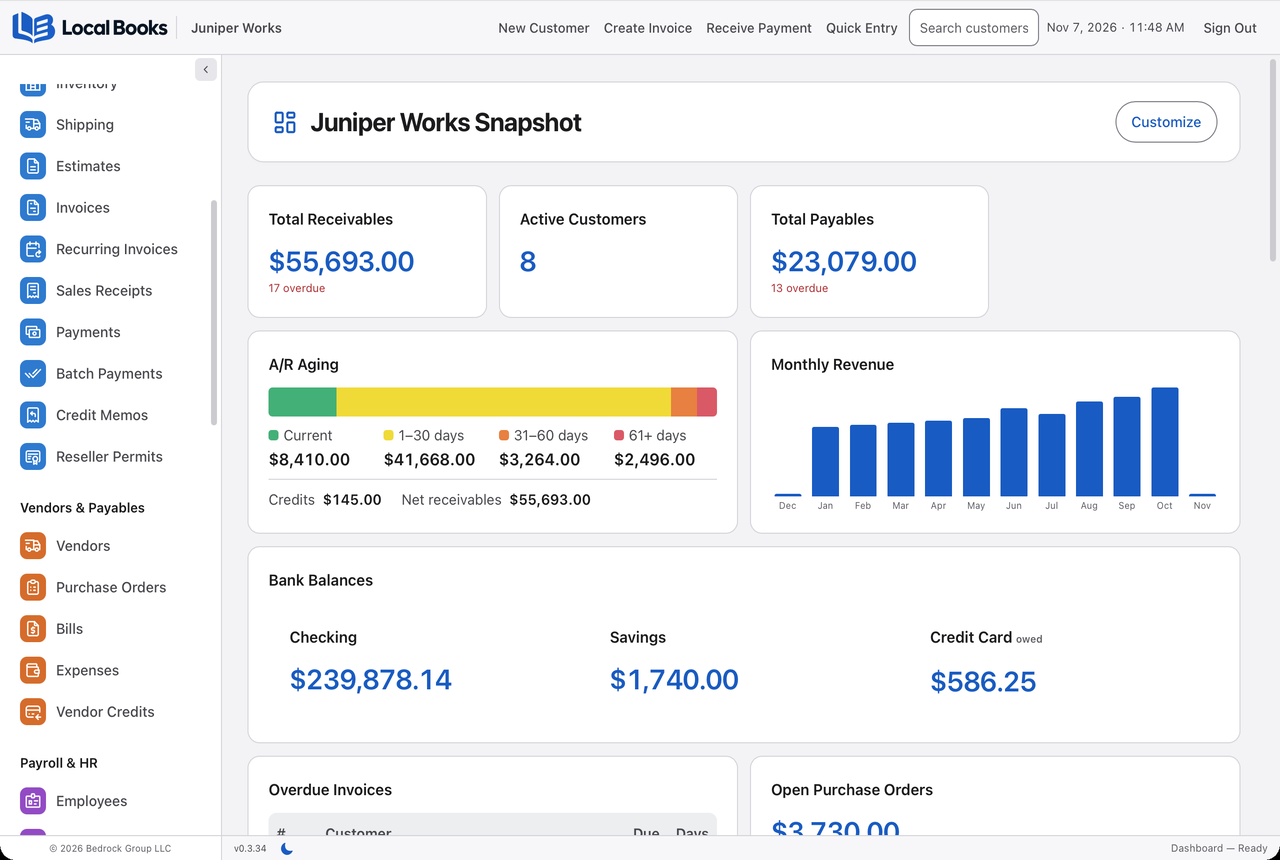
Review unpaid invoices and receivables aging to understand what’s due and where follow-up is needed.
Profit and loss. Balance sheet. General ledger. Receivables and payables aging. Sales tax reports. Move from the daily picture to the details behind it.
Analytics adds revenue trends, expense breakdowns and cash forecasts. Export reports to share with your accountant.
Connected features share requested data with the services you enable. Provider terms and charges may apply.
Explore all Local Books featuresBank feeds and AI are optional connections, not requirements for core bookkeeping. External services may have separate fees. Payroll and tax outputs require appropriate configuration and professional review.
The complete Local Books toolkit is included with either edition.
Choose the setup that fits your team. Unlimited companies and user accounts, no per-user software fees, and a perpetual license with both.
Your office. The same books.
For an owner working solo or an office team using up to five computers, including the host.
$3,495.00$3,495.00$2,500
With code DESKTOP2500 at checkout.Ends December 31, 2026 at 11:59pm Mountain Time.
One-time purchase
One shared system for your team.
For businesses that need staff in one office or multiple locations working with centrally managed records.
$4,995.00$4,995.00$3,500
With code SERVER3500 at checkout.Ends December 31, 2026 at 11:59pm Mountain Time.
One-time purchase
Try Local Books with confidence. If it isn’t right for your business, request a full refund within 60 days of purchase. See guarantee terms.
These upgrade purchases are not covered by the 60-day money-back guarantee. See purchase terms.
$1,500 one-time edition upgrade
Already own Local Books Desktop? Move to the Server edition when you need more connected computers or access across locations.
$99 per optional upgrade
For substantial new features released after your included 12 months of eligible updates. Choose an upgrade when it is useful to you, or keep using your current licensed version.
No annual renewal required.
Please check for updates in Local Books before purchasing. Security updates and selected other updates are free.
One purchase brings these tools together. Payroll is included, with no separate payroll software fee.
Both editions use the same Mac and Windows installers and include the same business toolkit. Desktop includes five office computers total, including the host. Server supports more connected computers and access across locations. Existing Desktop owners can request a Server upgrade using their current key.
| Your question | Local Books Desktop | Local Books Server |
|---|---|---|
| Where does it run? | On supported Mac and Windows computers in your office, with records held on one host. | On one supported Mac or Windows host you or your IT provider manage. |
| How do we use it? | Work on the host or connect up to four other office computers. Staff sign in with their own permissions. | Your team works in shared records with individual sign-ins and assigned permissions. |
| Where are our records? | Stored on your host computer; you manage its backups. | Stored centrally on your server; your administrator manages backups. |
| What about multiple offices? | Designed for up to five computers working together on your office network. | Locations can work with the same records through properly configured, secure remote access. |
| Are the business tools different? | Both include accounting, invoicing, purchasing, banking, inventory, projects, payroll and HR, reporting, nonprofit workflows, and supported import/export tools. | |
| What needs setting up? | Activate the host, set up your company, and approve each joining office computer. Joining computers do not need a separate license key. | Activate a Server key, enable network sharing, and set up user accounts, secure network access and backups. Setup help is quoted separately. |
| Do we need internet? | Online activation and periodic license refresh; core work continues during temporary outages. | Same licensing policy. Staff also need a working connection to the server; remote access depends on your network. |
| What does one key cover? | One activated host plus four connected office computers: five total, with unlimited user accounts. | One active host, with no fixed workstation or concurrent-user cap. Practical capacity depends on the host and workload. |
Setup assistance is available separately.
Your first purchase includes 12 months of eligible updates. After that, keep your version or buy a specific paid upgrade when you choose, without another year of mandatory fees.
For shared access, keep the host awake with Local Books running. Ethernet is recommended; trusted office Wi-Fi is supported. See how office sharing works.
Prices in USD. Your total is shown before payment. Setup, server hosting and optional third-party services are separate.
Straightforward answers to common questions about Local Books.
No. You purchase a perpetual software license with 12 months of eligible updates included.
Keep using the version you own. Purchase a future paid upgrade only when you choose.
On your computer, or on your own business server with Local Books Server. You control your backups.
Setup assistance is available separately. Request a quote for your business.
Yes. Each key activates one host at a time. Desktop also includes four connected office computers, which do not need separate keys. Deactivate the old host before activating its replacement. If the old computer fails, contact Bedrock Group LLC for an authenticated activation reset.
Yes. Bring your books into Local Books with connected QuickBooks Online import, QuickBooks Desktop migration tools, or accounting exports from Xero, MYOB, Sage 50, Wave, Zoho Books and GnuCash. CSV tools also bring across customer, vendor and item lists. Find the route for your current software and choose the records and history you want to carry forward.
No. You choose and control the server. Hosting, secure remote access and administration are your responsibility or your IT provider’s. We can quote setup assistance separately.
Download the right installer, install Local Books and enter your key once to activate. Then create your account and company. Downloading alone does not activate a license or provide access to the application.
Not sure which edition fits? Tell us how your business works.