
Business and accounting software for wholesalers
When a supplier sells by the carton and your customers buy in smaller quantities on terms, the same item has to make sense on both sides of the sale. Local Books connects units, trade pricing, open purchase orders and customer balances with your accounting.
Buy, sell and collect on your own terms
Buy in cartons and sell in the units customers need
Set up units of measure for stock you purchase and sell in different quantities. Receive partial deliveries against the original order and keep the outstanding cartons visible.
Explore units and receivingApply the right trade price
Configure customer or quantity pricing where needed. Check the resulting price on a sales line and invoice on the agreed terms.
Explore sales and invoicingSee what’s due before placing the next order
Compare stock value and reorder levels with customer aging and outstanding supplier bills. Apply partial payments to the right invoices and see the balance still due.
Explore receivables and payables reportsExample workflow
A wholesaler buys by the case and sells individual cartridges
Order in the units your supplier uses
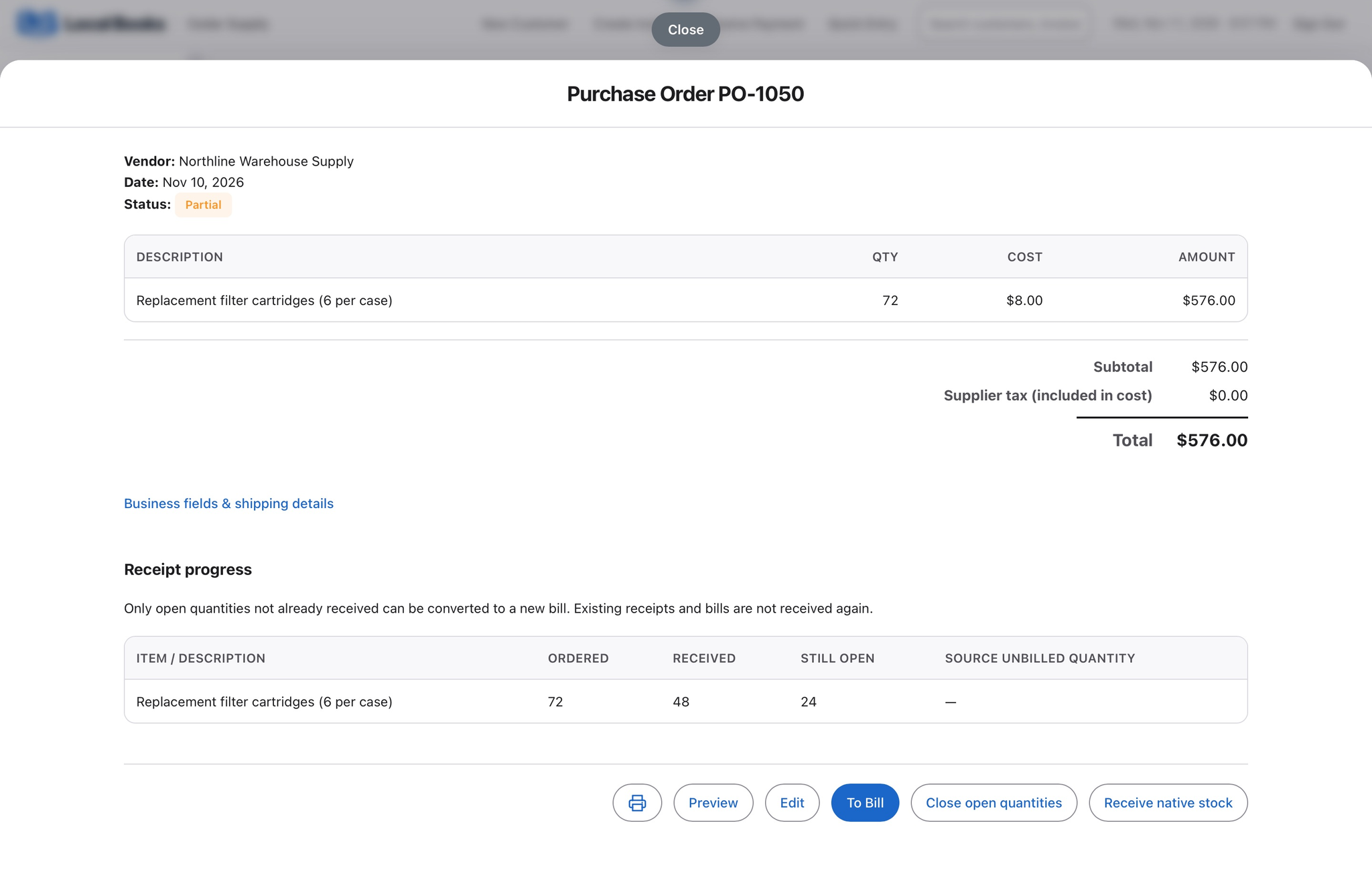
A supplier ships eight of the twelve cases ordered. Each case contains six filter cartridges, so the purchase order shows 72 units ordered, 48 received and 24 still open. Matching the supplier bill to the receipt keeps stock from being received twice.
Price and invoice trade customers
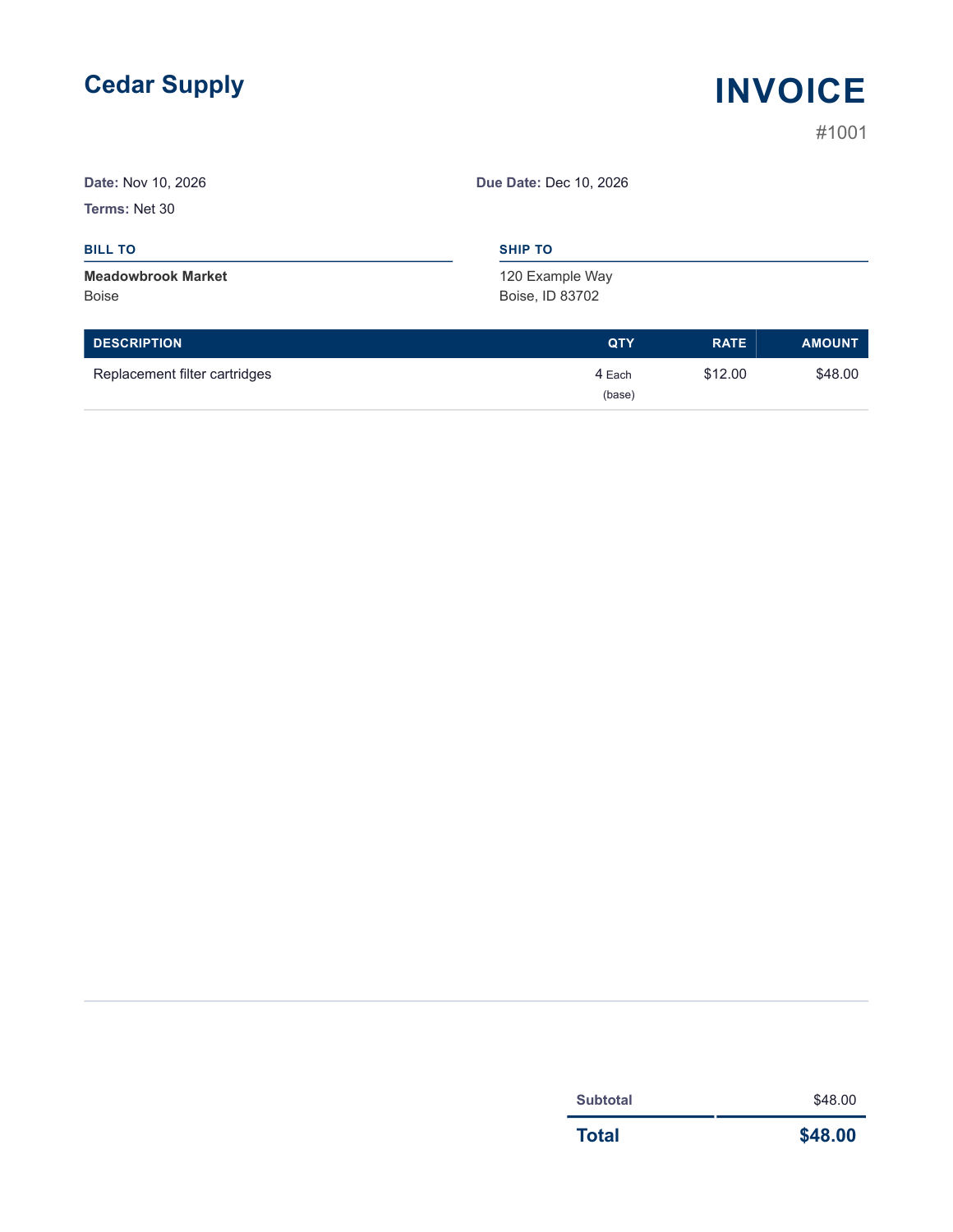
The customer buys four cartridges at $12 each. The invoice shows the individual units and $48 due. Customer or quantity pricing rules can supply an agreed rate, and resale documentation can stay with the customer record.
Decide what to reorder and what to collect
Review stock value and reorder levels alongside customer aging and supplier bills. If an account pays part of an invoice, apply the payment to that invoice and follow up on the remaining balance.
Which settings do I need?
Set up item units and accounts first. Enable Advanced Inventory for warehouse workflows such as locations and bins, and configure the pricing rules you want applied to sales.
Own your software and work in books you control
Run your business with either edition
One purchase includes a perpetual license and 12 months of eligible updates. Keep using your version and choose when to buy an optional upgrade. Both editions include the core accounting, sales, purchasing, inventory, job and payroll tools, with no per-user software fees.
Share the same company records
Desktop supports up to five office computers, including the Mac or Windows host. Server has no fixed workstation or concurrent-user limit and supports secure access across locations with the appropriate network setup. It also offers the employee portal when enabled. Staff sign in with their own permissions.
Bring the records you need
Review supported imports or start with reconciled opening balances. Your company files stay on the computer or server you manage.