
Business and accounting software for HVAC contractors
Keep equipment installs and recurring service billing in the same books. Local Books helps you review the cost of an installation, bill repeat service on the agreed schedule and see which customer balances are still open.
Keep the books current across installs and repeat service
Follow equipment costs into the installation
Track applicable supplier orders and posted costs by job. For units you hold in stock, serial tracking can record the specific units you receive and issue.
Explore serial-tracked inventorySet up billing for service agreements
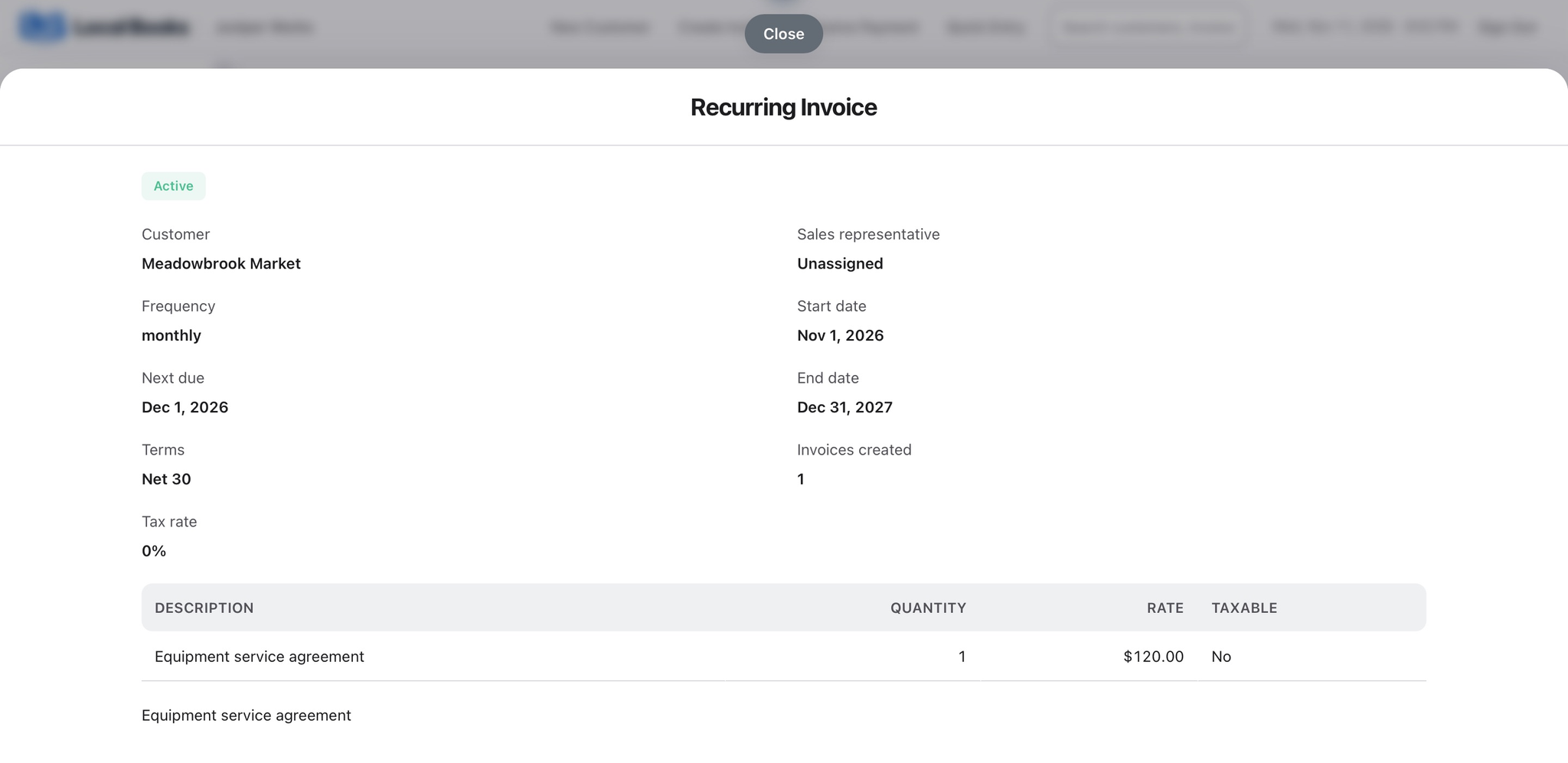
Use recurring invoices for customers billed at an agreed interval. Review the schedule as service contracts begin, change or end.
Explore recurring invoicesSee what the installation earned
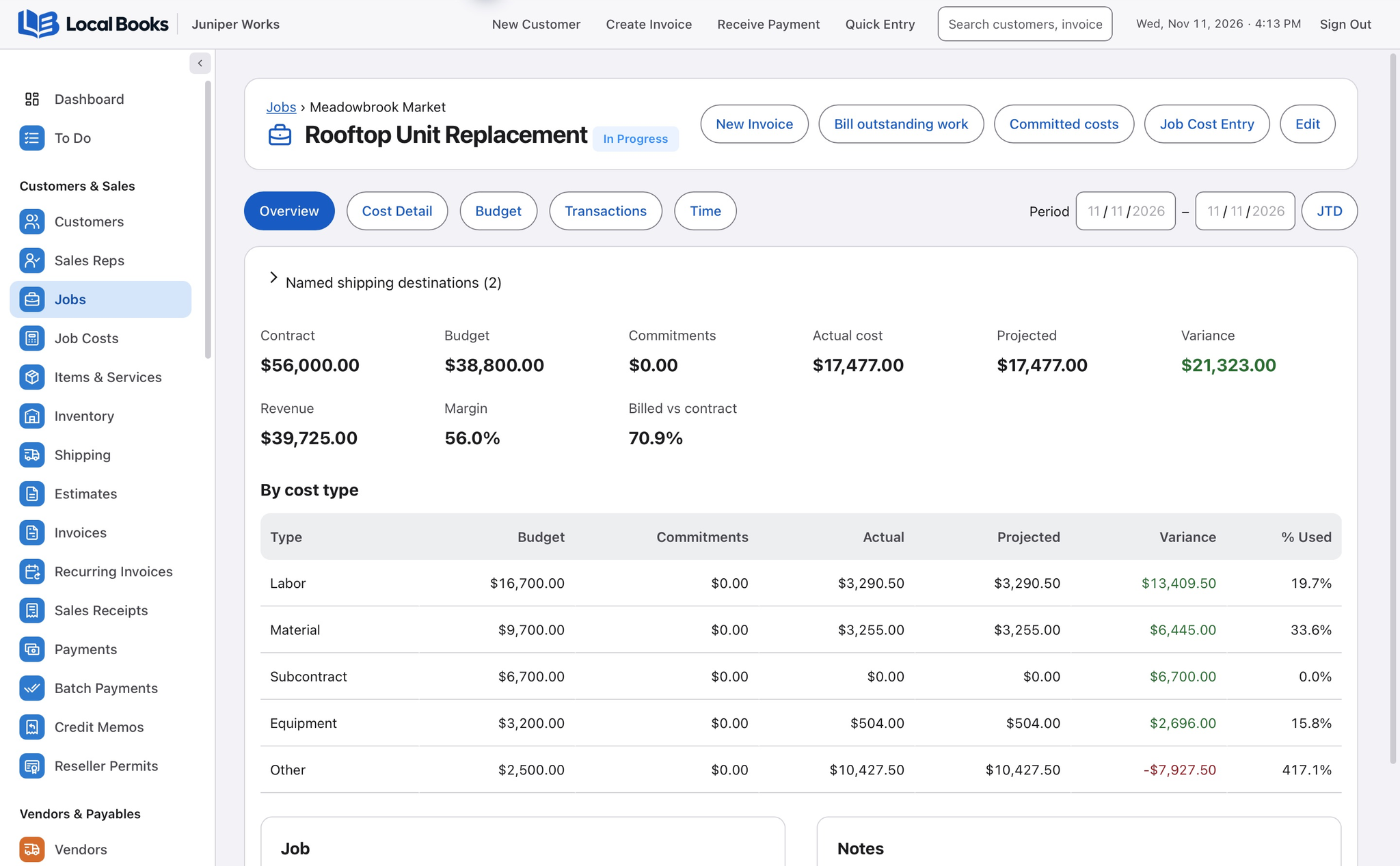
Compare recorded equipment, materials and labor with the job budget. Use Job Profitability to review revenue against recorded costs and refine the next quote.
Explore job costing and profitabilityExample workflow
An HVAC company replaces a rooftop unit
Follow the unit from supplier to job
Quote the equipment and installation separately. Link the supplier order and posted costs to the customer job where supported. If you keep serial-tracked units in stock, enable serial tracking and review the recorded movement when receiving and issuing them.
Compare installation and routine service work
Use jobs and cost codes to see the labor, equipment and materials on the installation. For recurring billing on an agreed service arrangement, set up a recurring invoice and review its schedule.
Review margin and overdue invoices
Compare the job budget to recorded costs, then use Job Profitability to review the outcome. Track customer payments, supplier balances and payroll in the same books.
What about maintenance scheduling?
Keep your dispatch, equipment service records and appointment schedule in the tools you use for those tasks. Recurring invoicing handles billing for repeat work.
Own your software and work in books you control
Run your business with either edition
One purchase includes a perpetual license and 12 months of eligible updates. Keep using your version and choose when to buy an optional upgrade. Both editions include the core accounting, sales, purchasing, inventory, job and payroll tools, with no per-user software fees.
Share the same company records
Desktop supports up to five office computers, including the Mac or Windows host. Server has no fixed workstation or concurrent-user limit and supports secure access across locations with the appropriate network setup. It also offers the employee portal when enabled. Staff sign in with their own permissions.
Bring the records you need
Review supported imports or start with reconciled opening balances. Your company files stay on the computer or server you manage.