
Business and accounting software for consulting firms
Bill fixed-fee projects and ongoing advisory work on their own terms. Local Books connects client invoices, staff time and outside expenses, so you can see what an engagement earned and what the client still owes.
Know what each engagement contributes
Keep project fees and retainers easy to follow
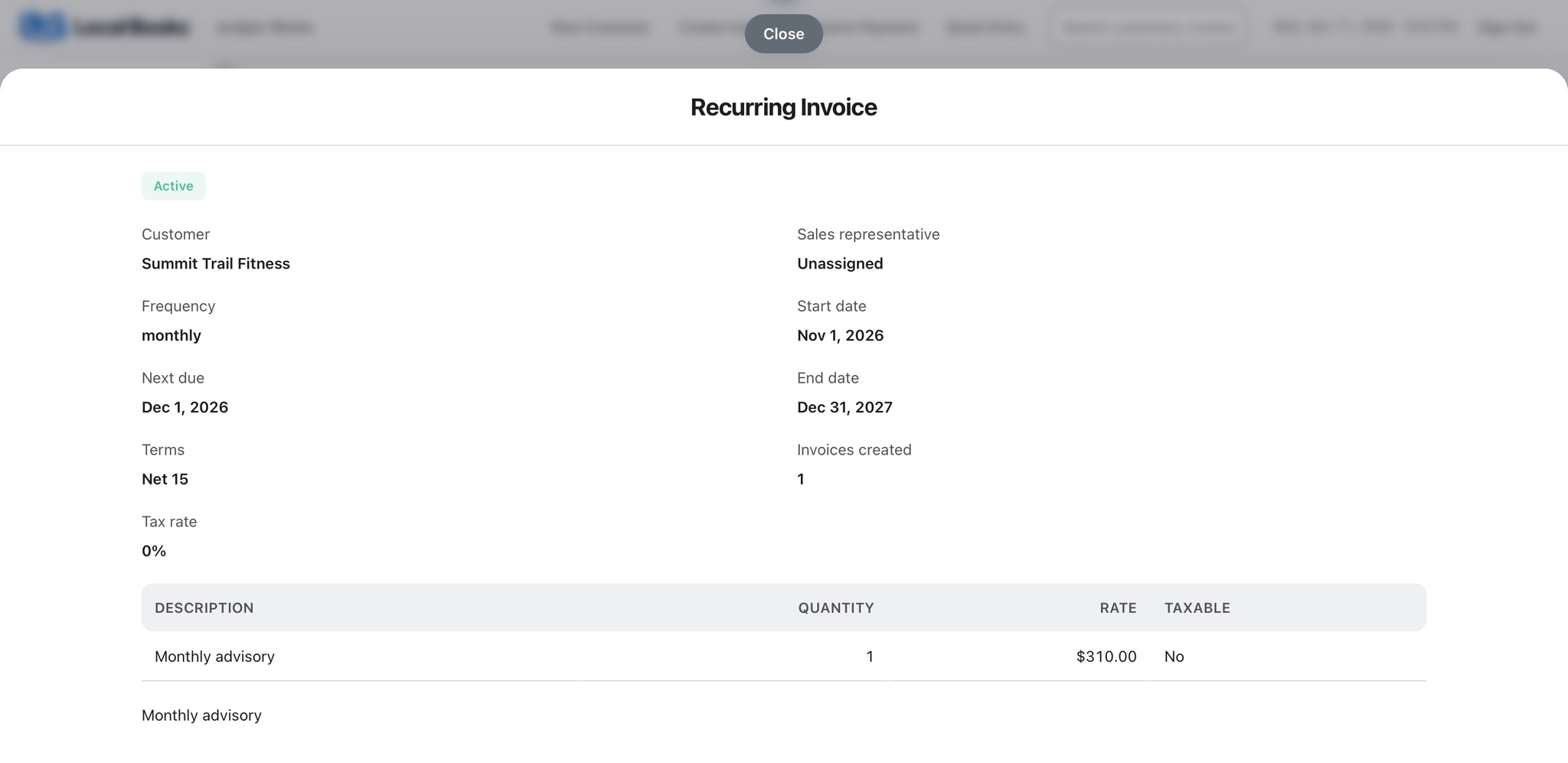
Estimate a defined project and use recurring invoices for advisory work billed on a regular schedule. Keep the fees and payment terms visible in the customer account.
Explore estimates and recurring invoicingSee where a fixed fee went
Assign applicable staff time, travel and supplier costs to the engagement. Compare recorded spending with the budget and review the resulting job profitability.
Explore job costingSee the whole practice at month end
Review overdue client balances alongside revenue, staffing costs and overhead. Reconcile deposits against payments so the books reflect what the practice actually collected.
Explore financial reportsExample workflow
A consultancy runs an assessment and an ongoing advisory engagement
Separate project fees from recurring fees
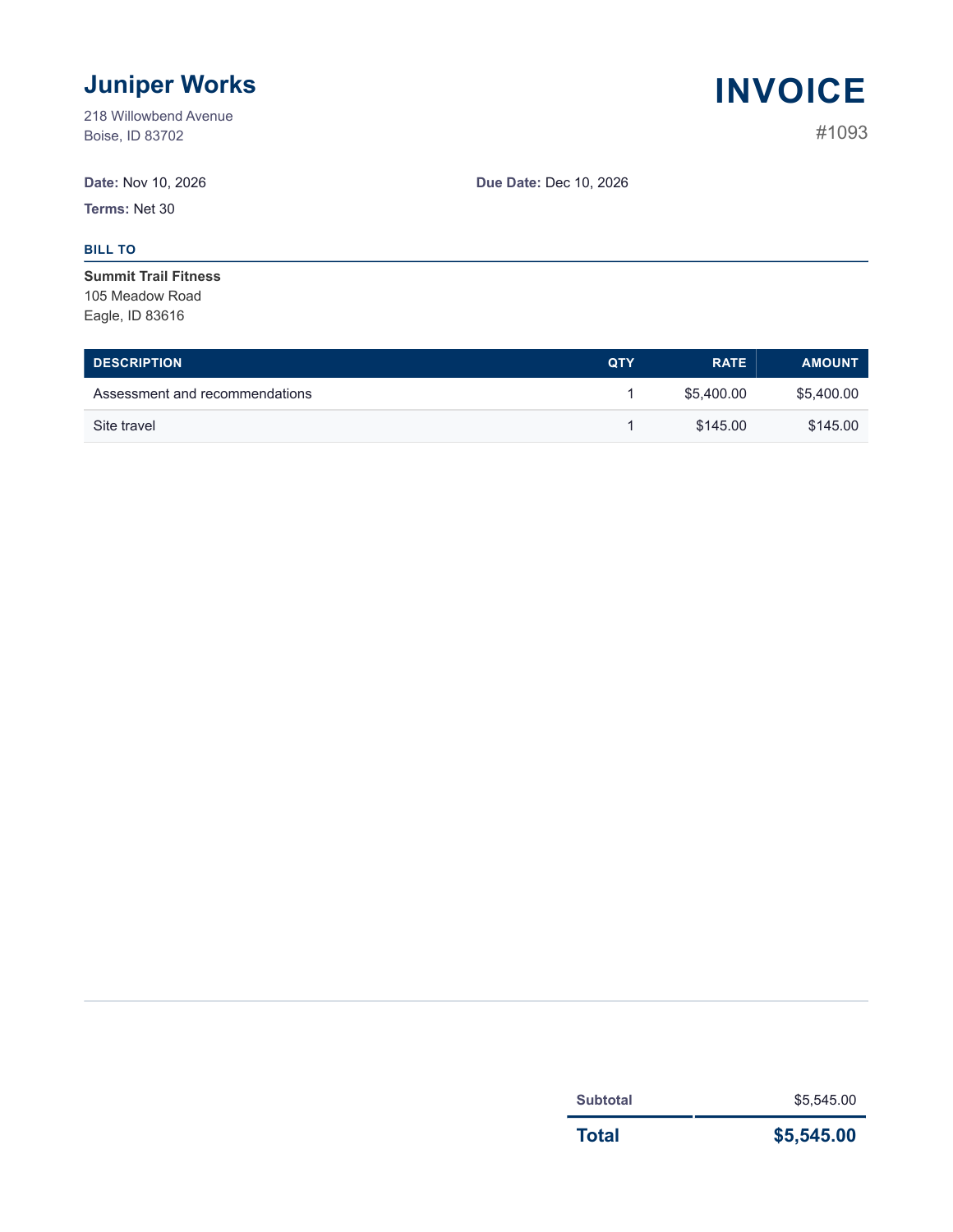
The assessment has a fixed fee and its own job, so it stays separate from ongoing advisory work billed on a recurring schedule.
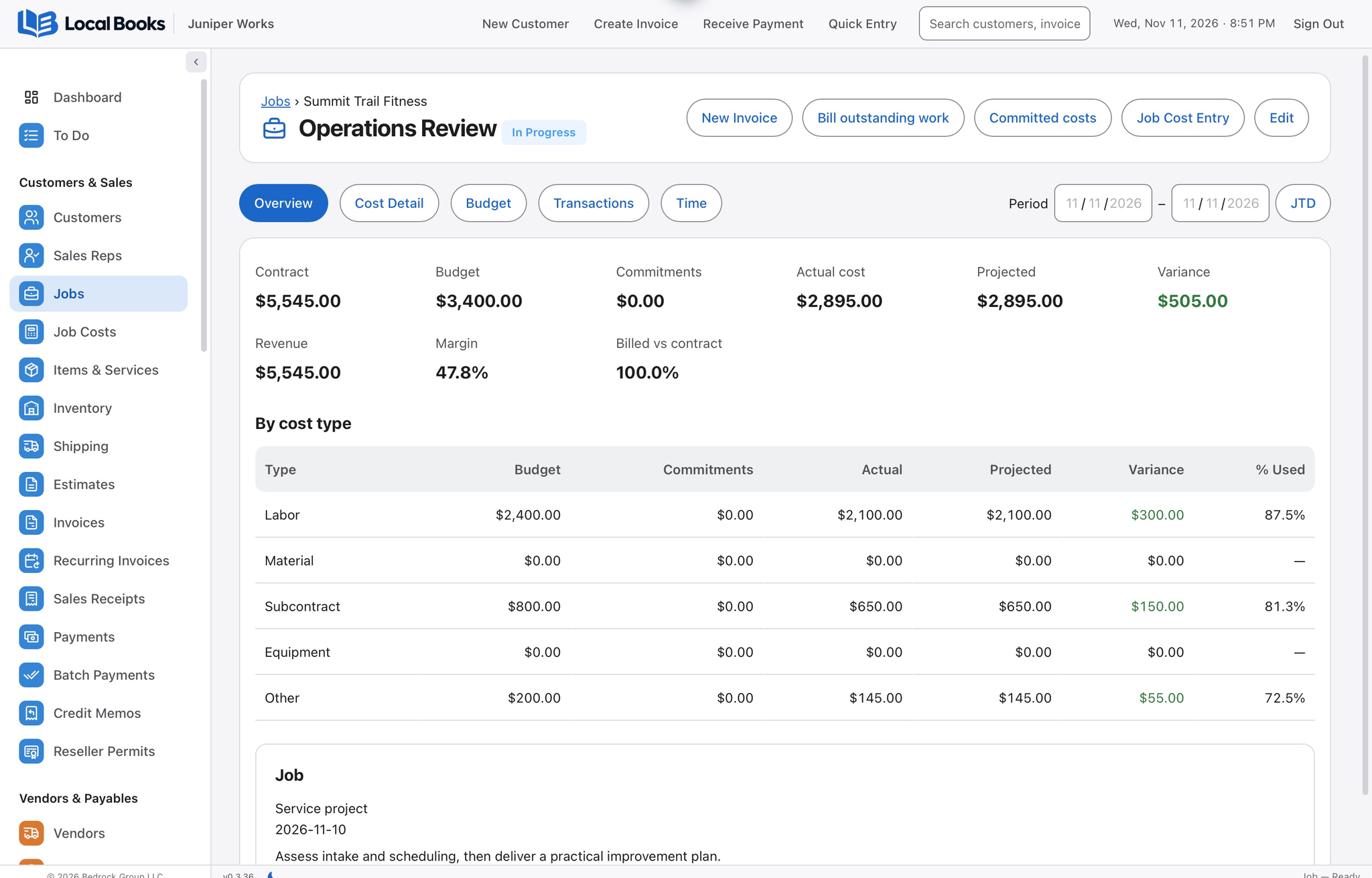
See where the assessment budget went
The job budget shows staff analysis, site travel and outside survey work. The invoice separates the assessment fee from the travel charge, so the client can see what it owes.
Review the practice as a whole
Track unpaid invoices by customer and reconcile deposits to payments. Use profit and loss to review staffing and overhead across the practice, and prepare payroll for employees as needed.
Will this plan my consultants’ workload?
Use your resource planning and time approval processes alongside the job and time records you maintain for accounting.
Own your software and work in books you control
Run your business with either edition
One purchase includes a perpetual license and 12 months of eligible updates. Keep using your version and choose when to buy an optional upgrade. Both editions include the core accounting, sales, purchasing, inventory, job and payroll tools, with no per-user software fees.
Share the same company records
Desktop supports up to five office computers, including the Mac or Windows host. Server has no fixed workstation or concurrent-user limit and supports secure access across locations with the appropriate network setup. It also offers the employee portal when enabled. Staff sign in with their own permissions.
Bring the records you need
Review supported imports or start with reconciled opening balances. Your company files stay on the computer or server you manage.