
Business and accounting software for design studios
Keep design fees, extra proof rounds and outside production costs tied to the same project. Local Books shows what you quoted, what the work cost and what the client still owes after delivery.
Carry the proposal through production and payment
Put a price on each part of the scope
Prepare an estimate for design, proofs and production. Set a project budget before ordering samples or bringing in an outside vendor.
Explore estimates and invoicingSee how additional revisions affected the job
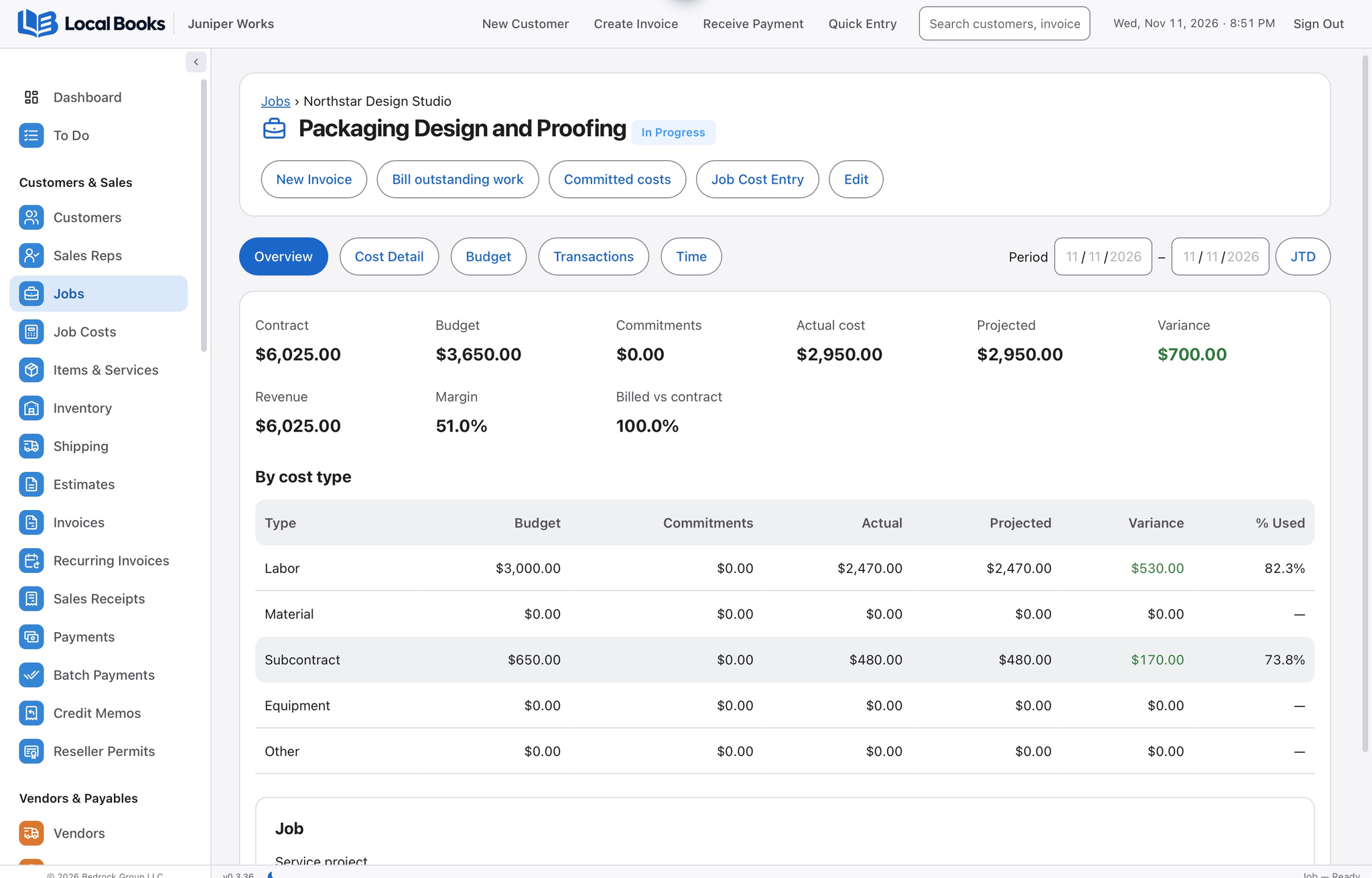
Track applicable studio time and supplier bills against the project. Compare actual costs with the budget to see where extra proofs or production changes affected what the work earned.
Explore project budgets and profitabilityLet the studio and bookkeeper work in the same records
Staff can have their own sign-ins and permissions on approved office computers. Keep project billing and the books together as work passes from the studio to accounting.
See how office sharing worksExample workflow
A design studio tracks a packaging project
Start with a priced scope
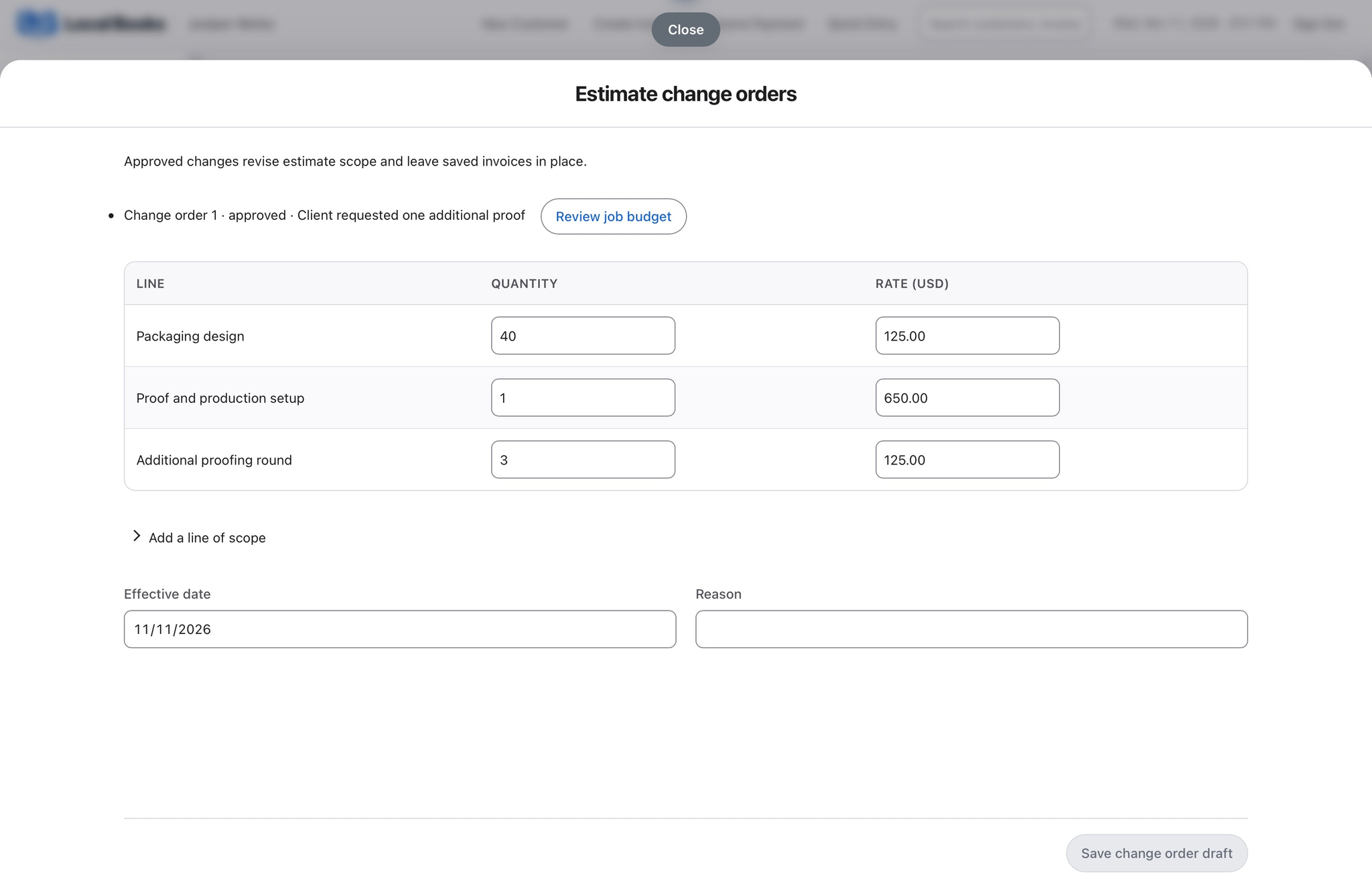
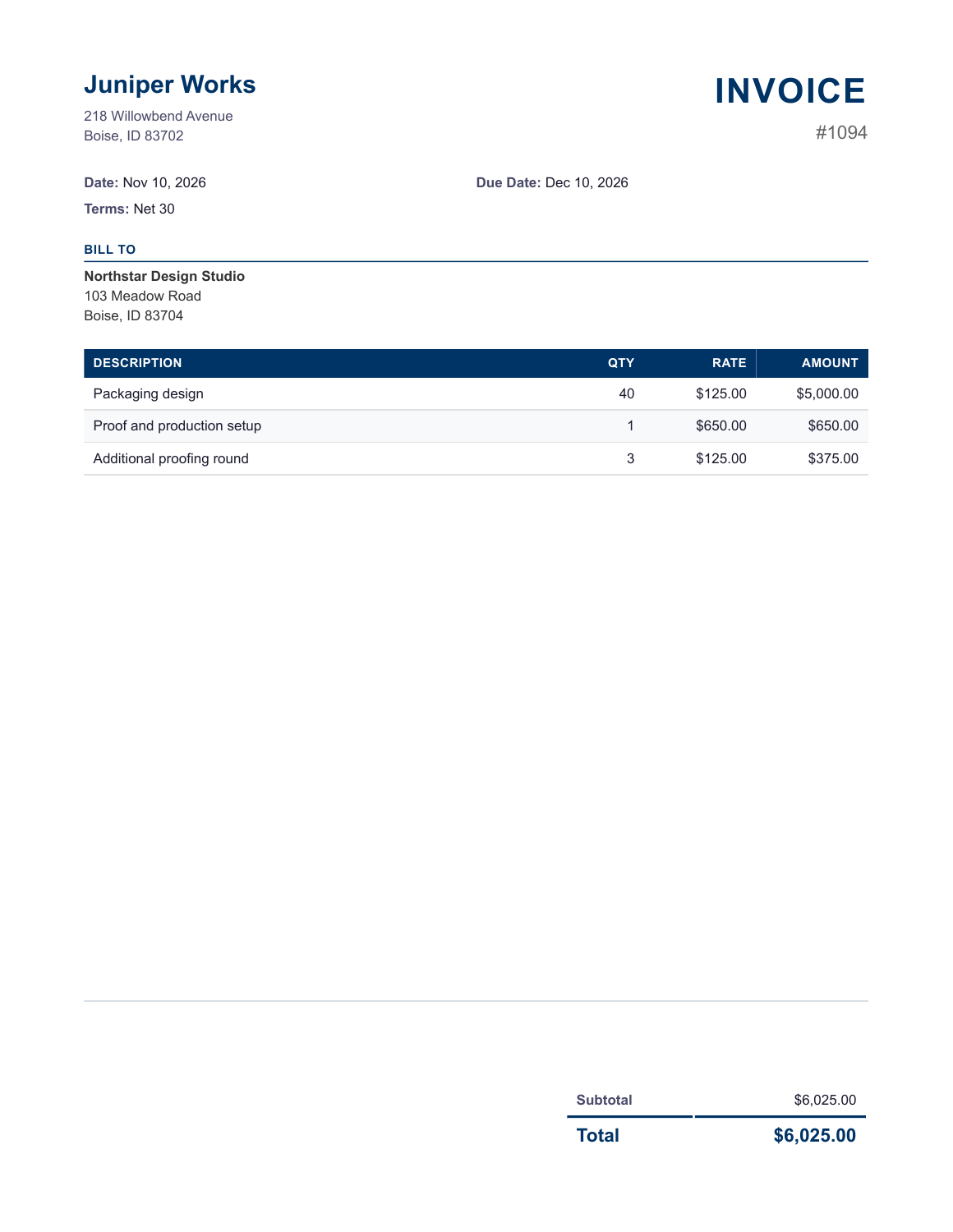
The estimate separates 40 hours of packaging design from the proof and production setup fee. The job budget tracks studio time and outside proofing costs.
See revisions in the financial picture
The client requests another proof. The approved change order adds three hours at $125 per hour, and the finished invoice shows that extra work on its own line.
Bill and review after delivery
Bill the accepted estimate in stages if the client pays at approval and delivery. Review billable outside costs before adding them to the invoice, and compare actual job costs with revenue before pricing a similar project.
How does the studio share access?
Give the bookkeeper and staff their own accounts and permissions. Use supported office connections if more than one computer needs access.
Own your software and work in books you control
Run your business with either edition
One purchase includes a perpetual license and 12 months of eligible updates. Keep using your version and choose when to buy an optional upgrade. Both editions include the core accounting, sales, purchasing, inventory, job and payroll tools, with no per-user software fees.
Share the same company records
Desktop supports up to five office computers, including the Mac or Windows host. Server has no fixed workstation or concurrent-user limit and supports secure access across locations with the appropriate network setup. It also offers the employee portal when enabled. Staff sign in with their own permissions.
Bring the records you need
Review supported imports or start with reconciled opening balances. Your company files stay on the computer or server you manage.