
Business and accounting software for plumbing contractors
See what a replacement or repair earned after the parts and crew time. Local Books brings estimates, service invoices, supplier purchases and payroll records together, while keeping each tracked job’s costs available for review.
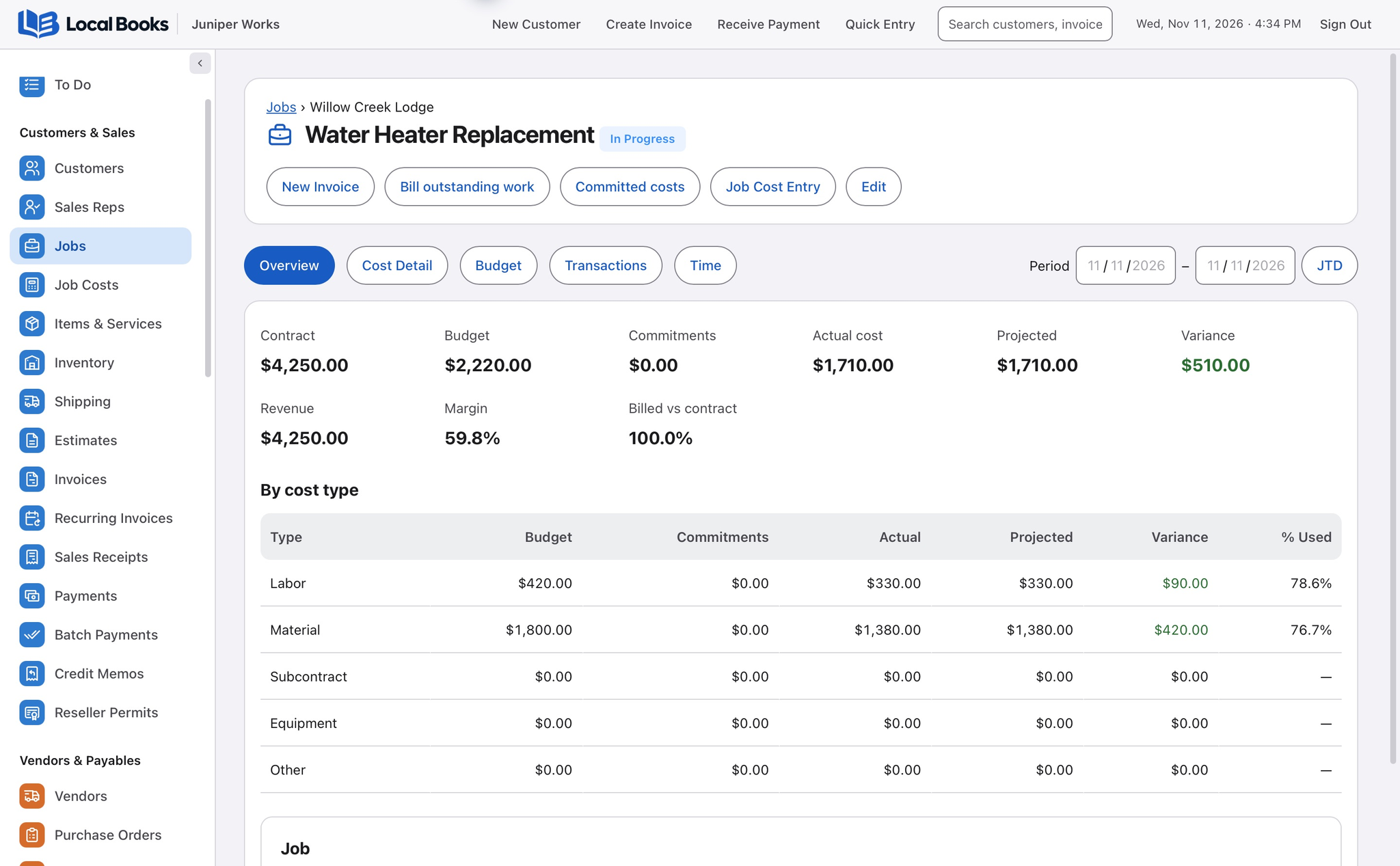
Make service work easier to bill and review
Quote the equipment and installation together
Put the heater, fittings and installation on an estimate. Track applicable purchases and time against the customer job, then compare the recorded costs with what you billed.
Explore job costingRestock the fittings you use every week
Keep item records for fittings you stock. Use a paired phone to scan labeled parts into the open service invoice when mobile inventory scanning is enabled. Review billable labor separately and check on-hand quantities before reordering.
Explore inventory and reorder planningSee which customers still have a balance
Apply full or partial payments to service invoices. Review aging before calling a customer so the office can see what has already been paid.
Explore customer aging reportsExample workflow
A plumbing crew replaces a water heater
Quote the work and track the parts
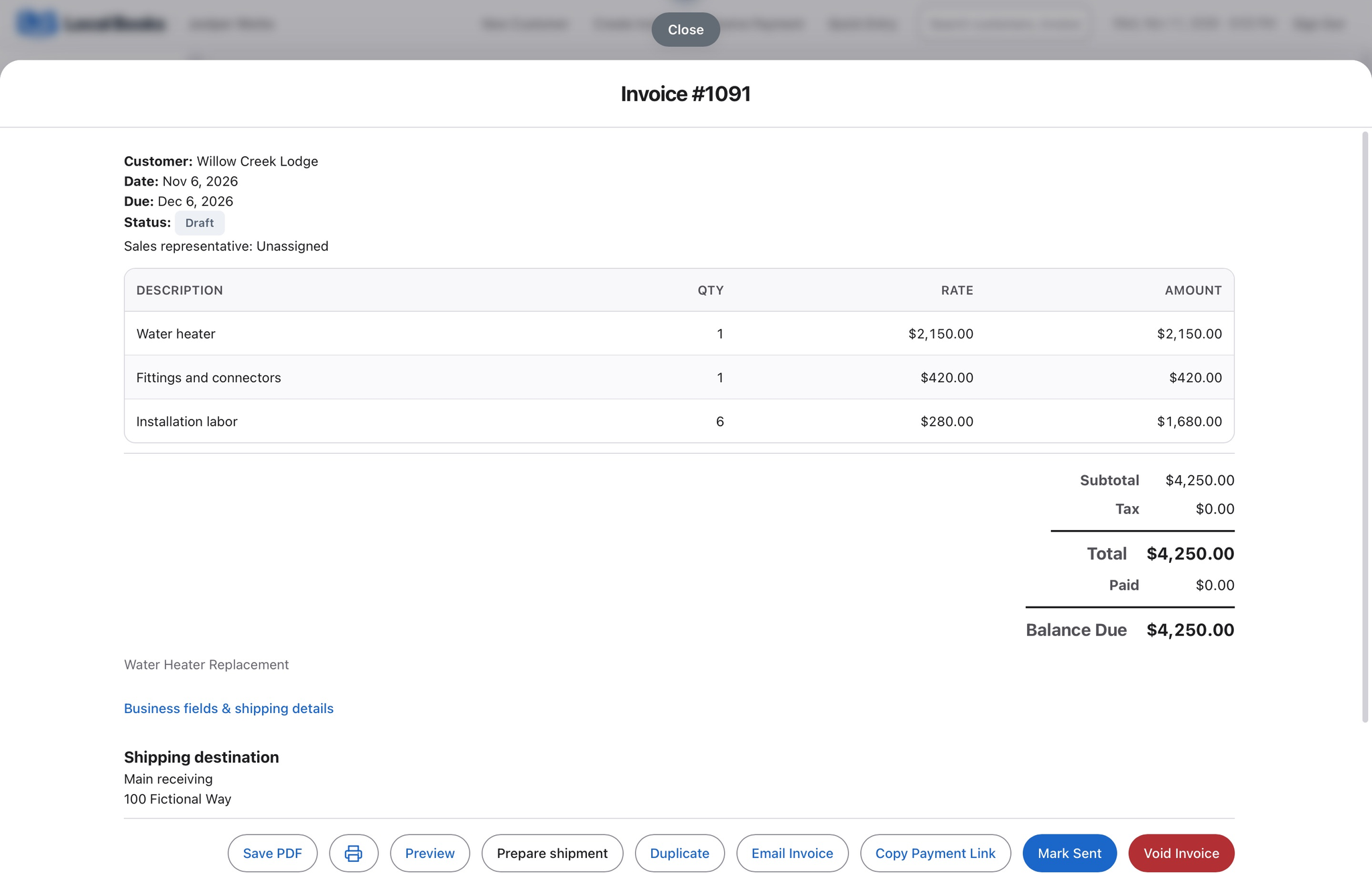
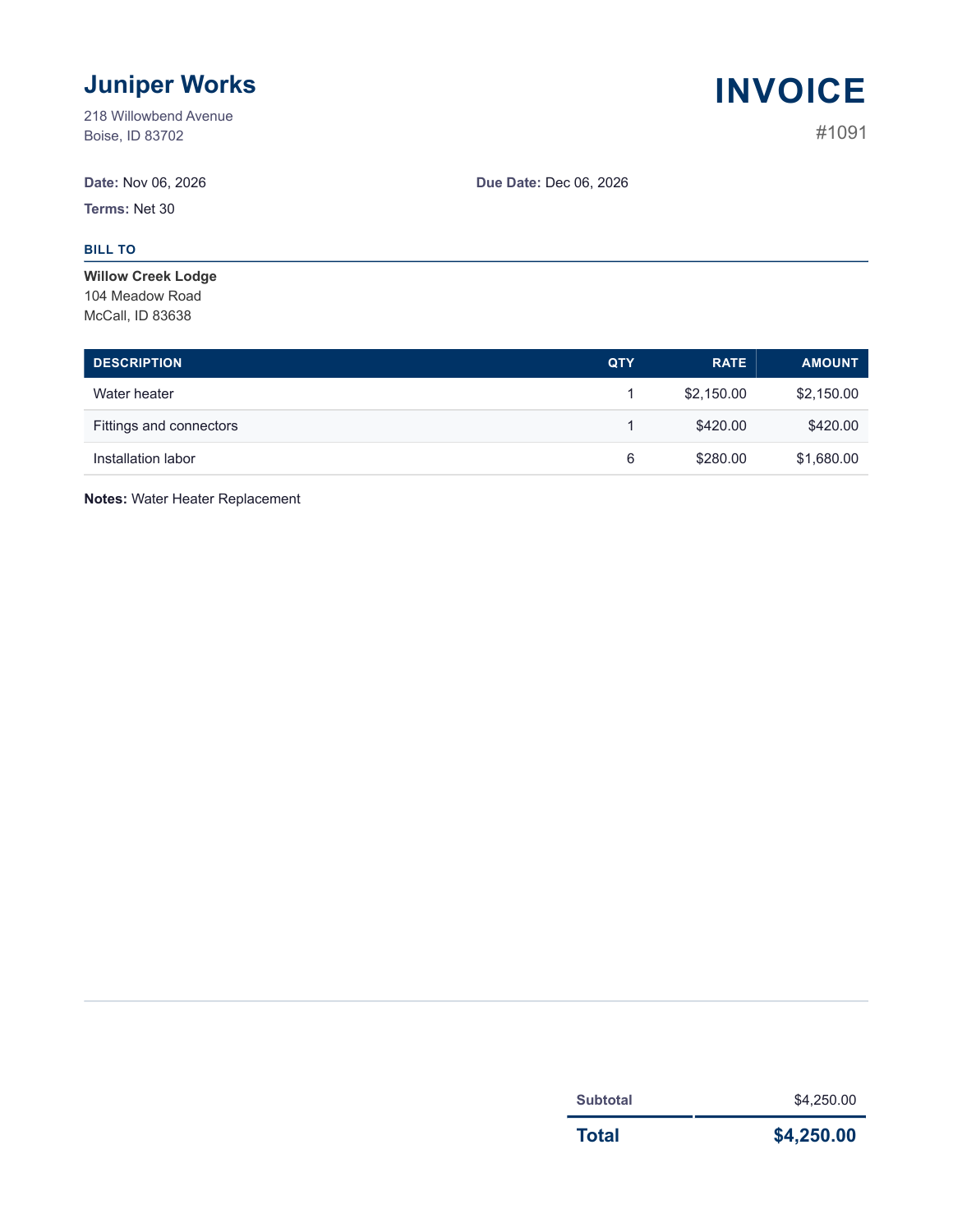
Prepare an estimate for equipment, fittings and installation. Assign the supplier bill and applicable labor to the customer job so you can review the cost of that replacement separately from other calls.
Decide which parts warrant stock tracking
Keep item records for common fittings and other parts you want to count. Use on-hand quantities and reorder points when restocking. Review which purchases are job expenses and which should be received into stock with your bookkeeper.
Follow up after the work
Convert the accepted estimate into an invoice where appropriate. Apply partial or full payments and review aging before contacting customers. Compare recorded parts and labor against job revenue.
How does this fit the service desk?
Use your scheduling or dispatch system for appointments and calls. Local Books handles the customer account, purchasing, payroll and financial results.
Own your software and work in books you control
Run your business with either edition
One purchase includes a perpetual license and 12 months of eligible updates. Keep using your version and choose when to buy an optional upgrade. Both editions include the core accounting, sales, purchasing, inventory, job and payroll tools, with no per-user software fees.
Share the same company records
Desktop supports up to five office computers, including the Mac or Windows host. Server has no fixed workstation or concurrent-user limit and supports secure access across locations with the appropriate network setup. It also offers the employee portal when enabled. Staff sign in with their own permissions.
Bring the records you need
Review supported imports or start with reconciled opening balances. Your company files stay on the computer or server you manage.