
Business and accounting software for bookkeeping businesses
Keep client invoices, supplier bills, bank reconciliation and payroll in the same books. Local Books helps bookkeeping businesses carry the weekly work through to month-end reporting, with separate company files and no per-company or per-user software fees.
Turn regular bookkeeping into a clearer client picture
Keep up with what clients owe and are owed
Record bills and invoices, apply payments and review aging. Bring the owner a clear list of overdue customers and upcoming supplier payments.
Explore receivables and payables reportsReconcile against records already in the books
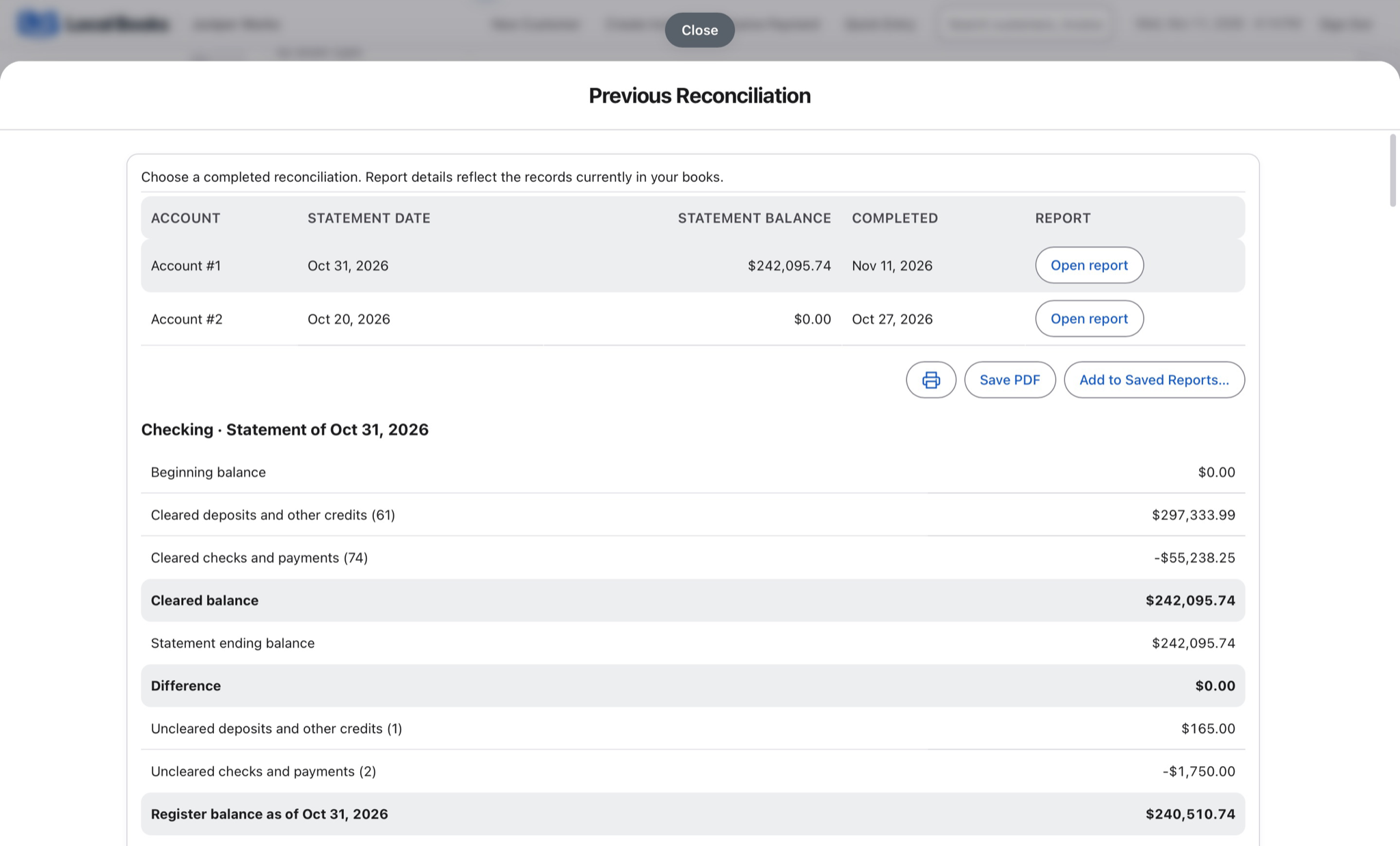
Match statements to recorded payments and deposits, then reopen the completed report when a client asks. An authorized administrator can undo the latest eligible reconciliation with a recorded reason; bank postings are retained.
Explore banking and reconciliationRun your practice alongside your client work
Use separate company files for client books and your own practice. Set up recurring billing for agreed service fees and give authorized staff individual access.
Explore recurring billingExample workflow
A bookkeeper takes a client from weekly entries to month-end reports
Keep the week’s work in one set of books
Record customer invoices, supplier bills and expenses in the client’s company file. Apply payments to the right documents and review outstanding balances before following up with the owner.
Match the bank without counting income twice
Reconcile statement activity with recorded payments and deposits. Where a connected bank feed is used, review and match existing activity before adding a new transaction.
Work with the people who enter the records
Give authorized staff individual accounts and the permissions their work requires. Use approved office connections, or a properly configured Server setup for access across locations. Agree who enters bills, approves work and performs the reconciliation.
Close the month and bill your own service
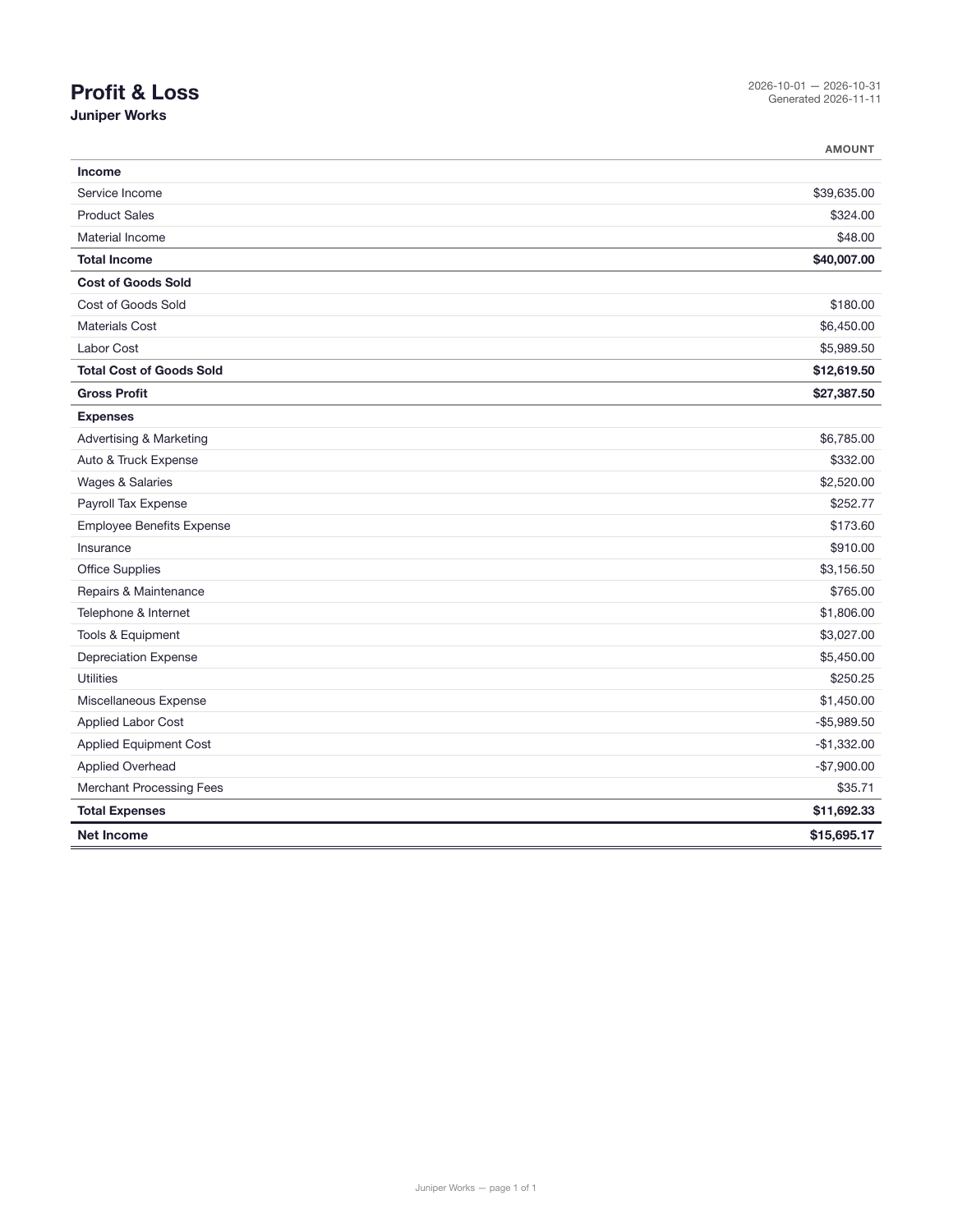
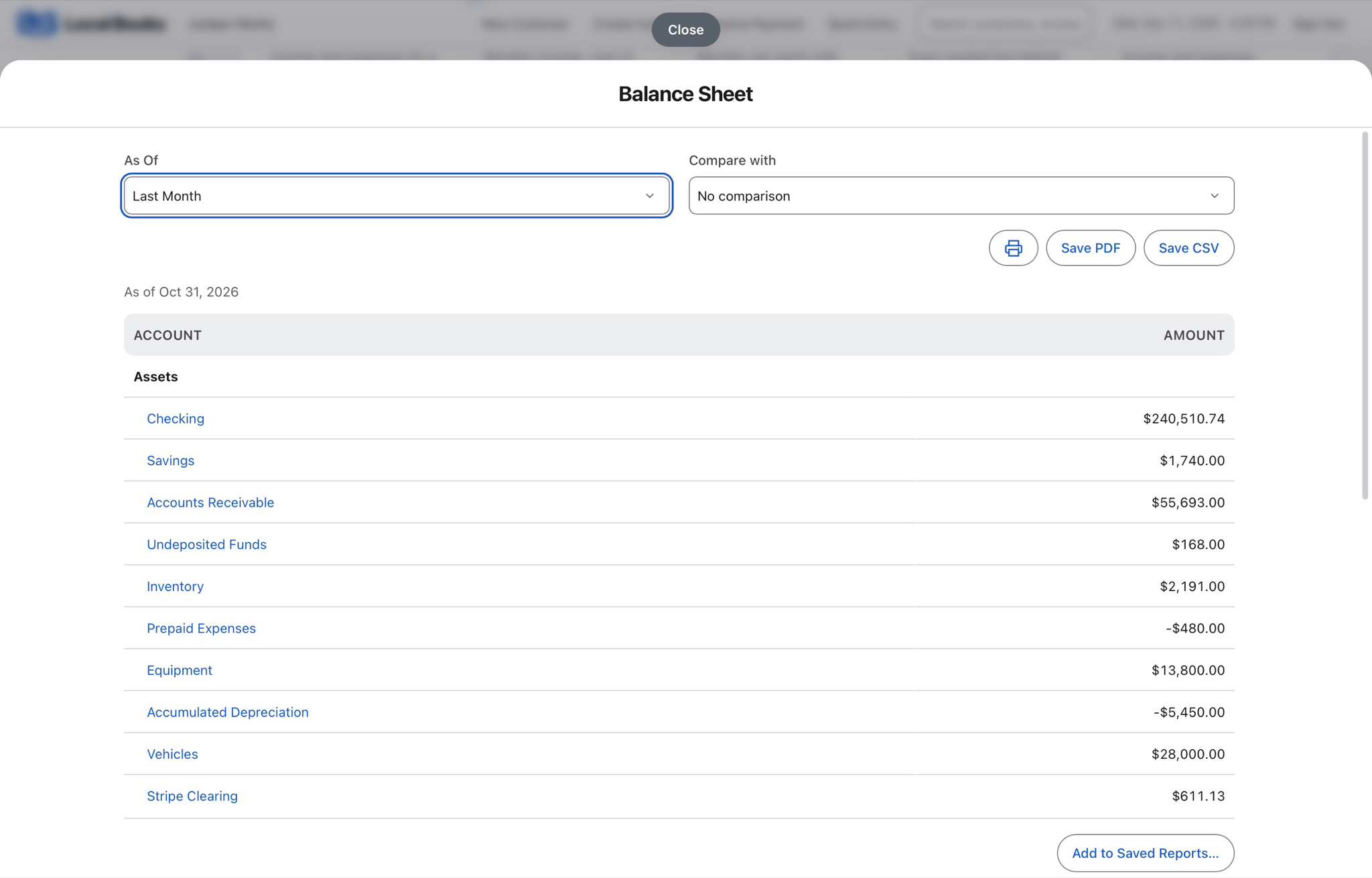
Review the client’s Profit & Loss, Balance Sheet, aging reports and applicable payroll liabilities. Keep your bookkeeping practice in its own company file, with recurring invoices for agreed monthly fees and separate invoices for additional work.
Own your software and work in books you control
Run your business with either edition
One purchase includes a perpetual license and 12 months of eligible updates. Keep using your version and choose when to buy an optional upgrade. Both editions include the core accounting, sales, purchasing, inventory, job and payroll tools, with no per-user software fees.
Share the same company records
Desktop supports up to five office computers, including the Mac or Windows host. Server has no fixed workstation or concurrent-user limit and supports secure access across locations with the appropriate network setup. It also offers the employee portal when enabled. Staff sign in with their own permissions.
Bring the records you need
Review supported imports or start with reconciled opening balances. Your company files stay on the computer or server you manage.