
Business and accounting software for assembly businesses
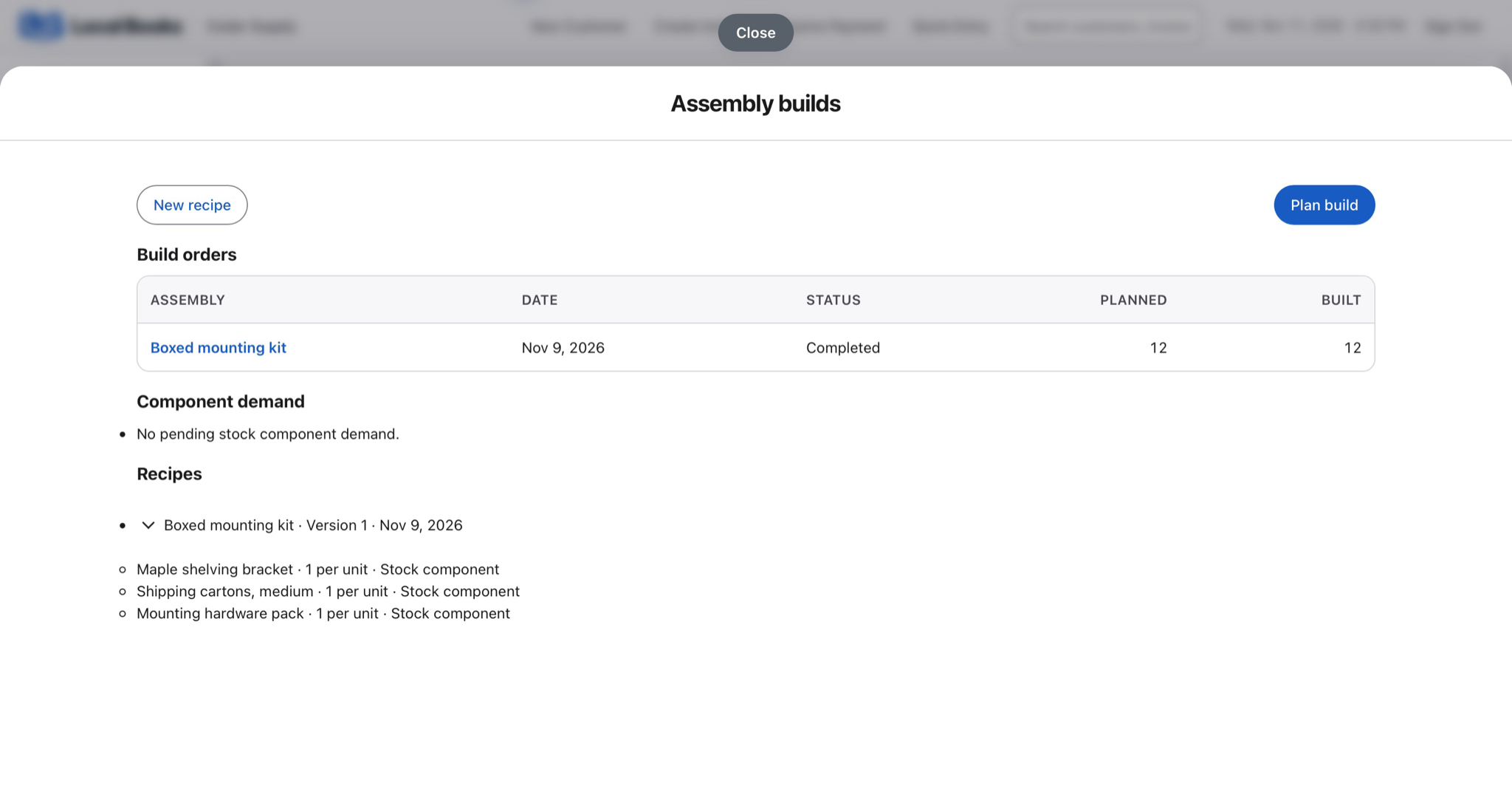
Build kits from the same stock you use to fill orders. Local Books records the parts a build consumes and the finished kits it creates, giving you current component balances and finished quantities when the next order comes in.
Keep parts, kits and sales quantities straight
Check whether you have enough parts for a batch
Save the components for each stocked kit and check shortages on a build order. Use that view to see which parts to reorder before scheduling the next batch.
Explore assembly inventoryAccount for prebuilt kits and bundles differently
Post an assembly when you make a finished item for stock. For an order that simply groups several items on the same invoice, add those lines with a saved sales item group.
Explore sales and invoicingSee what the finished kit costs
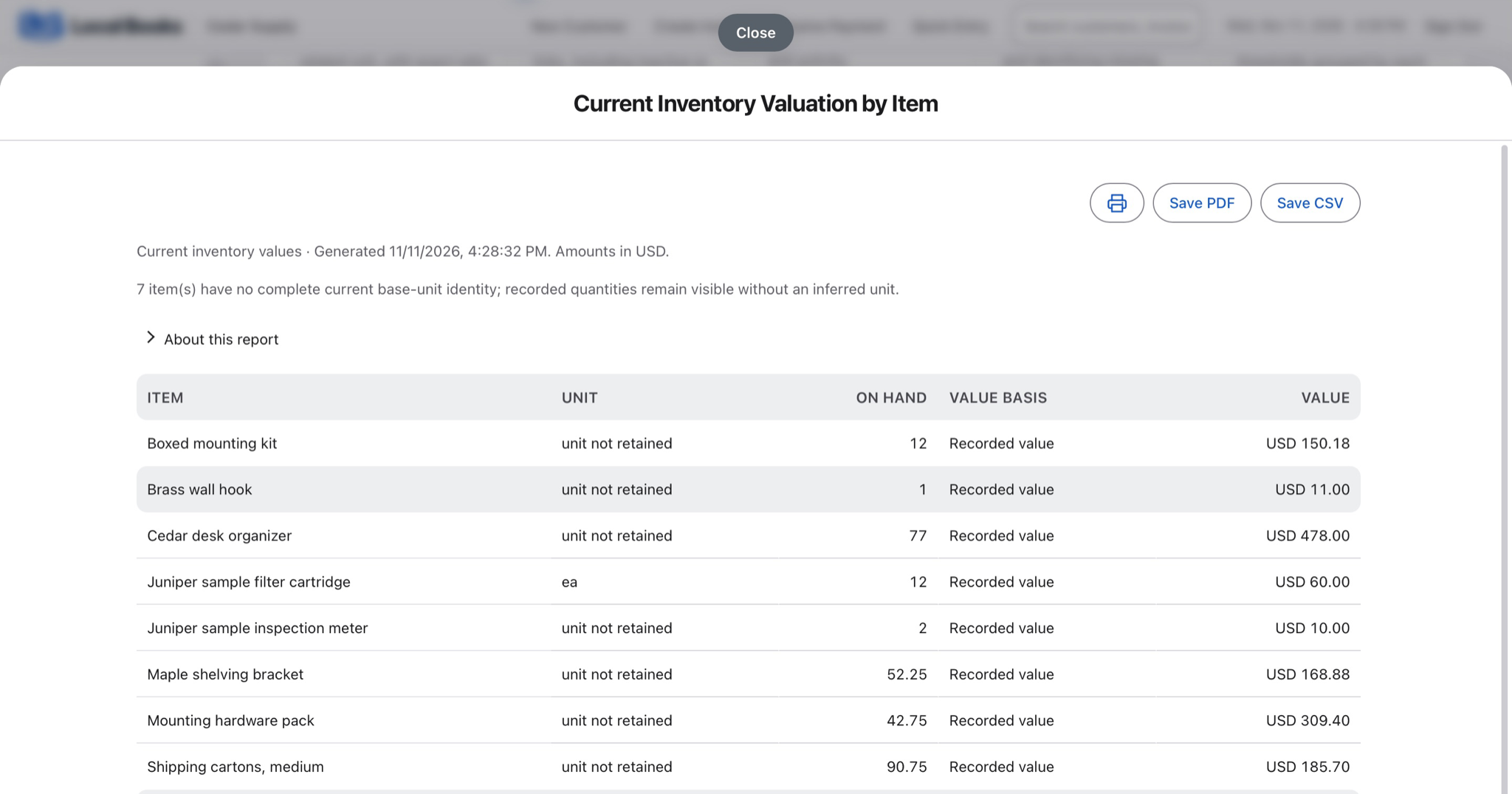
Review component balances, finished stock and inventory value after the build. Compare the selling price with the cost carried into inventory when reviewing the kit’s price.
Explore inventory valuation and reportingExample workflow
An assembler makes 12 boxed mounting kits
Define what goes into each kit
Set the stocked parts on the assembly recipe, including the hardware and brackets you want to track. Create a build order for the kits and check which parts are available.
Build stock or group invoice items
Post an assembly when you actually make a stocked kit so the parts used and finished quantity are recorded. A saved sales item group is useful when you want to put several lines on a sale together without building finished stock first.
Compare stock after the run
Review finished quantities and component balances before accepting orders. If counts differ from the books, investigate movements before posting an adjustment. Review what the kit sells for against the cost carried into inventory.
How do I start?
Enable assemblies in Advanced Inventory. Set up and count the components first, then run a small build and check the movements before using it for larger batches.
Own your software and work in books you control
Run your business with either edition
One purchase includes a perpetual license and 12 months of eligible updates. Keep using your version and choose when to buy an optional upgrade. Both editions include the core accounting, sales, purchasing, inventory, job and payroll tools, with no per-user software fees.
Share the same company records
Desktop supports up to five office computers, including the Mac or Windows host. Server has no fixed workstation or concurrent-user limit and supports secure access across locations with the appropriate network setup. It also offers the employee portal when enabled. Staff sign in with their own permissions.
Bring the records you need
Review supported imports or start with reconciled opening balances. Your company files stay on the computer or server you manage.