
Business and accounting software for distributors
See what’s in the warehouse, what a customer is still waiting for and what has been billed. Local Books ties receiving and fulfillment to stock and financial records, giving the warehouse and accounting team a shared view of each order.
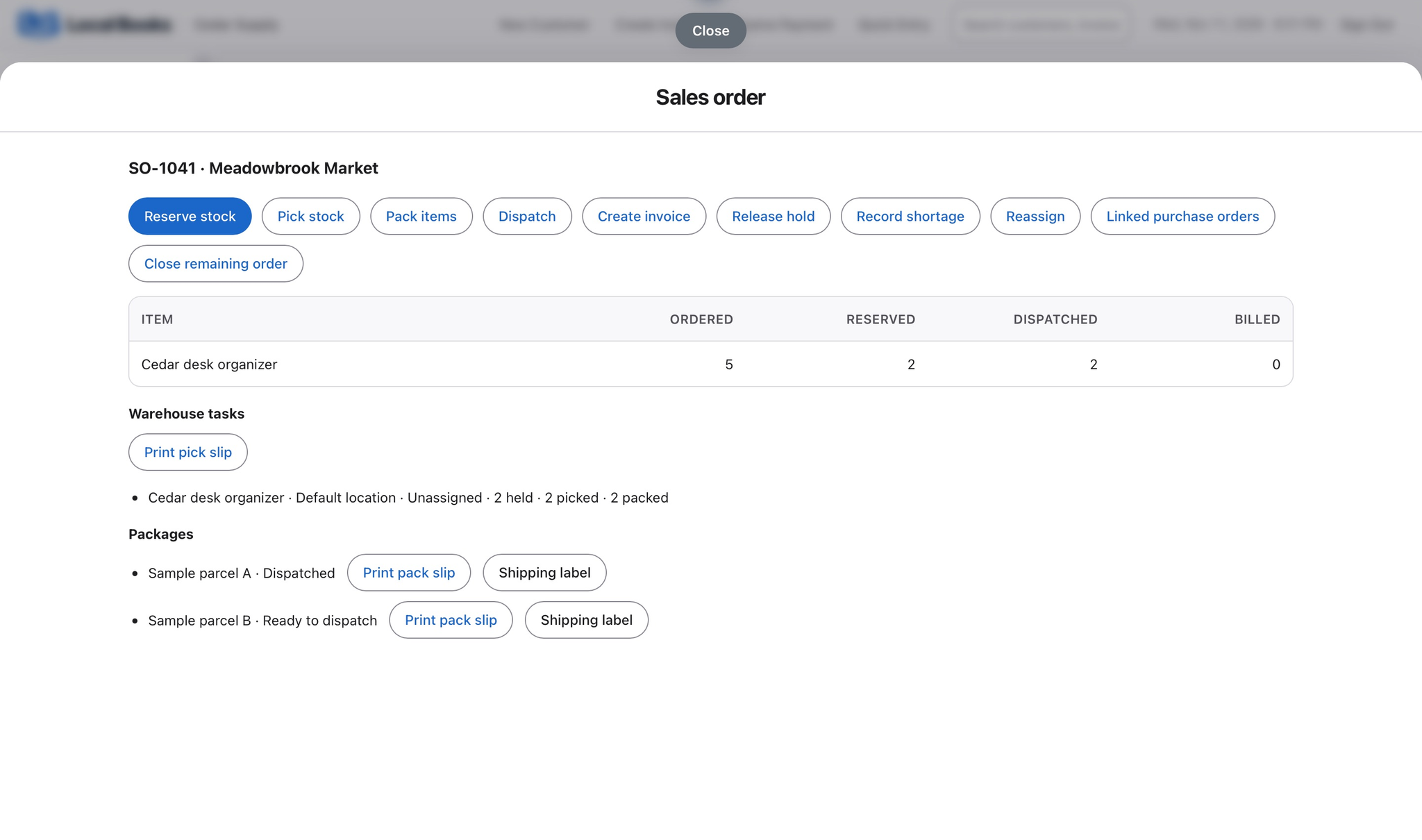
Follow the order from delivery to collection
Find stock where it was received
Track stock by location or bin when you enable those Advanced Inventory options. Add lot or serial tracking for items that need it.
Explore warehouse inventoryKnow what remains to ship
With fulfillment enabled, use sales orders to organize picking, packing and shipping. Review open quantities after a partial shipment so staff can answer what is still due to the customer.
Explore sales ordersKeep freight, invoicing and payment visible
Allocate eligible freight to received stock with landed cost where configured. Review customer balances after invoicing and reconcile incoming payments against bank deposits.
See accounting reportsExample workflow
A distributor ships two of five desk organizers
Receive into the right location
Enable location and bin tracking if staff need to know where goods are stored. Receive the quantity on the supplier delivery into the appropriate location, and check any required lot or serial details.
Keep open orders visible through fulfillment
With fulfillment enabled, assign pick and pack work from the sales order. Record the quantity that ships and check what remains open on the order before promising the next delivery. Staff can complete assigned warehouse work in the companion app when the company has enabled those workflows.
Review freight and collections
Use landed cost where configured to allocate eligible charges to received stock. Track customer invoices and balances separately from shipping records, then match payment receipts to the bank deposits.
What do warehouse teams need?
Enable the Advanced Inventory features you use, then set locations, bins and staff permissions. Verify shipping-provider setup and fees before relying on label purchases.
Own your software and work in books you control
Run your business with either edition
One purchase includes a perpetual license and 12 months of eligible updates. Keep using your version and choose when to buy an optional upgrade. Both editions include the core accounting, sales, purchasing, inventory, job and payroll tools, with no per-user software fees.
Share the same company records
Desktop supports up to five office computers, including the Mac or Windows host. Server has no fixed workstation or concurrent-user limit and supports secure access across locations with the appropriate network setup. It also offers the employee portal when enabled. Staff sign in with their own permissions.
Bring the records you need
Review supported imports or start with reconciled opening balances. Your company files stay on the computer or server you manage.