Choosing software
Comparing accounting software? Start with the work you need to do.
Eight comparisons cover cloud services and desktop business software. Find the ones that fit your work.



The best accounting software for an independent bookkeeper is not always the best choice for a contractor, a shop with stock, or a business with employees. Start with what you need to get done. Then compare the price of that whole setup.
These eight comparisons cover cloud accounting and desktop business software. Each article looks at current pricing, included tools and public customer feedback, so you can go deeper on the choices that fit.
Eight comparisons at a glance
| Product | What to compare | Article |
|---|---|---|
| QuickBooks Online | Hosted access, plan limits, payroll and services | Compare plans and payroll |
| QuickBooks Desktop Enterprise | Advanced inventory, simultaneous users, payroll packages and custom quote | Compare Desktop editions and access |
| Xero | Hosted accounting, invoice and bill limits, projects and payroll | Compare Xero |
| AccountEdge | Desktop accounting, local network or hosted access, optional payroll | Compare AccountEdge |
| MYOB Business Pro (Australia) | Australian workflows and payroll alongside U.S. Local Books licensing | Compare MYOB Business Pro |
| Sage 50 Desktop (United States) | Desktop subscription, included payroll tools and user access | Compare Sage 50 |
| Wave | Free bookkeeping, paid services and workflow coverage | Compare Wave |
| Zoho Books | Plan limits, connected products, payroll and user pricing | Compare Zoho Books |
The prices and features come from each product’s current plan information: Local Books, QuickBooks, Xero, and AccountEdge. Those pages explain what is sold. The individual comparisons also look at what customers report after using it.
If the monthly bill is your main concern
Compare the regular price, not just an introductory offer. Check what happens when you need another person in the books, start carrying inventory, or add payroll. Those changes can move you to a different plan or introduce another recurring charge.
Local Books uses a one-time license. Both editions include accounting, inventory, job costing, payroll and employee tools, with 12 months of eligible updates. You can create unlimited companies and unlimited user accounts without per-user software fees. Desktop includes five office computers total: one host and four connected workstations. Server supports larger teams and access across locations through one business-managed host. You keep using your version afterward, and later paid upgrades are optional. That is different from having to renew a subscription to keep using the software.
A subscription can still be cheaper for a light workload. AccountEdge’s entry price is low, and Xero’s Early plan can suit a business that sends few invoices and enters few bills. The point is to price your work, rather than assume either monthly or one-time is always the better deal.
If inventory or job work drives your choice
Local Books includes stock counts, partial purchase order receiving, barcode lookup, stock movements and inventory valuation in both editions. Optional Advanced Inventory adds locations and bins, lot and serial tracking, assemblies, warehouse fulfillment and advanced pricing. Start with basic stock records and enable the controls your business needs; Advanced Inventory is off by default for a company with no saved preference. See the inventory workflows.
For service businesses, compare job budgets, recorded time and mileage, customer billing and profitability reports together. The included report library also covers payroll, sales attribution, purchasing and financial review. Browse the business workflows.
If you are comparing QuickBooks alternatives
QuickBooks Online puts inventory and project profitability in higher tiers, with payroll available in separately priced packages. Those are important costs for a business that needs more than basic invoicing. Its online access, integrations and accountant familiarity are also reasons many businesses choose it.
Read Local Books vs. QuickBooks for online plan prices, a payroll example and customer feedback. For the desktop product, read the Enterprise comparison for user licensing, desktop access and payroll packages.
If you want convenient online access
Xero includes unlimited users, which can be useful when an owner, staff and an outside bookkeeper all need access. Its plans differ in workload limits and business tools, and US payroll is optional through Gusto.
Read Local Books vs. Xero for the cost after promotional discounts, the tools included in each approach, and customer feedback on reporting, reconciliation and support. Local Books Server gives staff access to shared company records while the business keeps control of its host and data.
If you want to keep desktop accounting
AccountEdge is a direct comparison worth making. It offers accounting, inventory and other business tools on Mac and Windows, with separate local network and hosted access options.
Read Local Books vs. AccountEdge for the difference between paying monthly and buying a perpetual license, what team access costs, and the everyday experience reported by customers.
If you want an AI assistant to help with bookkeeping
Local Books now has a built-in AI Assistant. Ask how to use the application and get guidance from the current complete manual, or request a supported bookkeeping task in the open company. Choose a provider and model, then decide whether to review proposed changes or approve requested work automatically within your own user permissions. The connection is optional; core bookkeeping does not depend on it. Accountant Review also brings working balances, workpapers and protected handoff packages into the same application.
Judge the working day, not just the feature list
Bring three or four tasks to a demonstration. A contractor might review an estimate, a purchase order and a job budget. A retailer might check stock, supplier bills and sales reports. An employer should look at payroll records as well as the accounting.
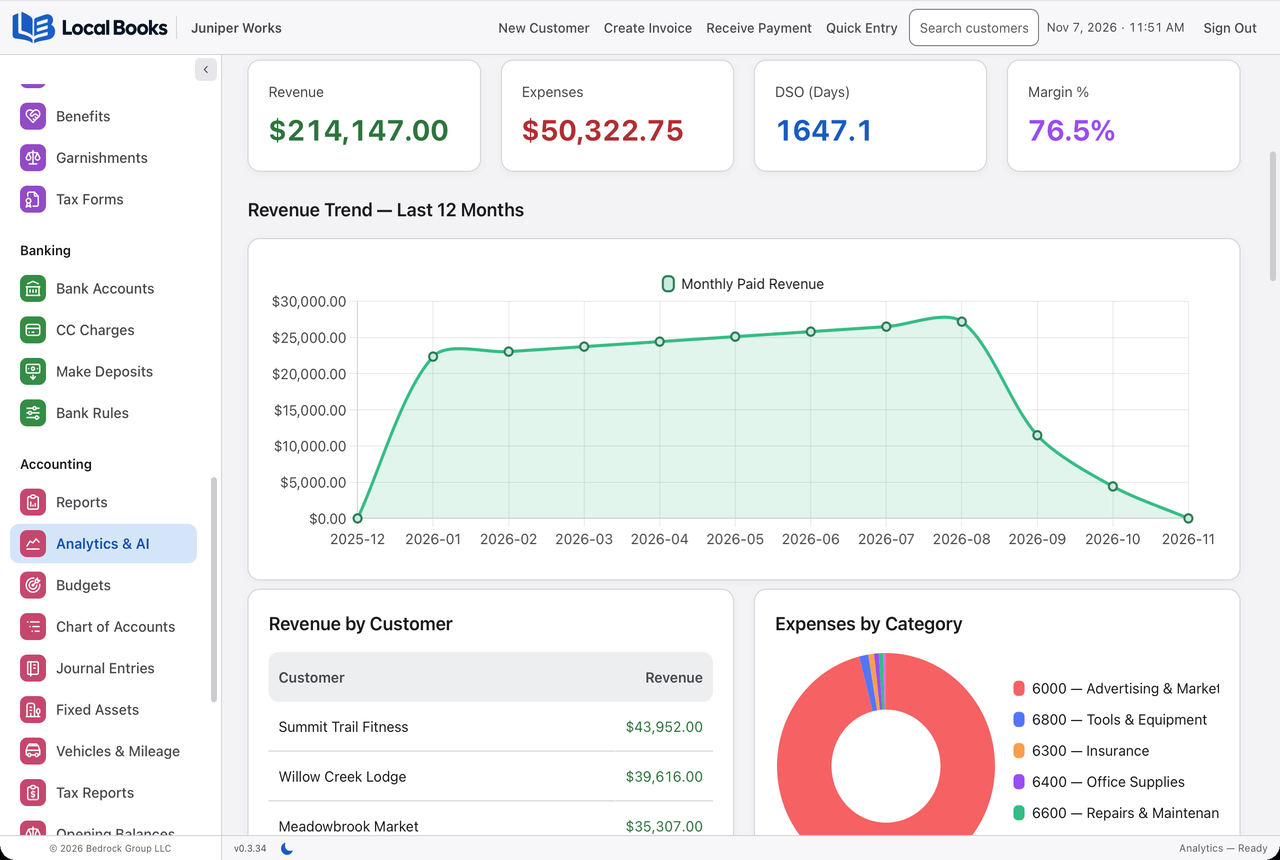
Then read recent reviews for those specific tasks. A complaint about a feature you never use may not matter. Repeated trouble with the report or connection you rely on deserves attention. Reviews are useful evidence, but individual accounts are not a guarantee of your own experience.
Finally, ask your accountant what they need from the system. Their input belongs in the decision alongside your own workflow and costs. Choose the software that serves the business, rather than organizing the business around the software.
Written by Local Books, the maker of one of the products discussed. Prices and product details are linked to their sources. Other product names belong to their respective owners; no affiliation or endorsement is implied.